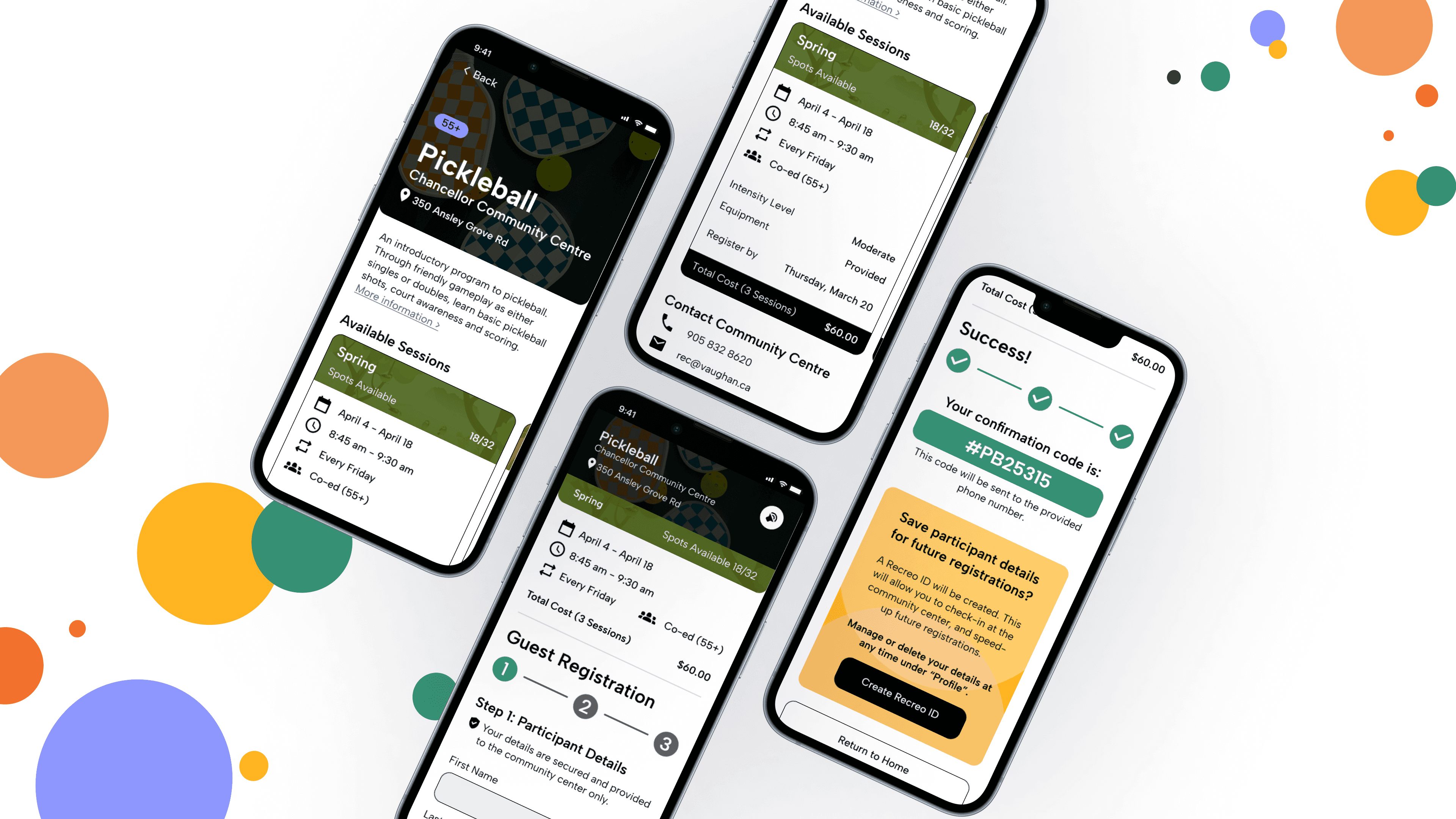
A community-focused app designed for Older Adults that facilitates the exploration and registration for local recreational programs.
ROLE
Product Designer
TEAM
Soyoung J., Jeimy J., Nicole Y.
COURSE
COMPLETED
April 2025 / 3 Months
As a Product Designer, I contributed to…
APP OVERVIEW: WHAT IS RECREO?
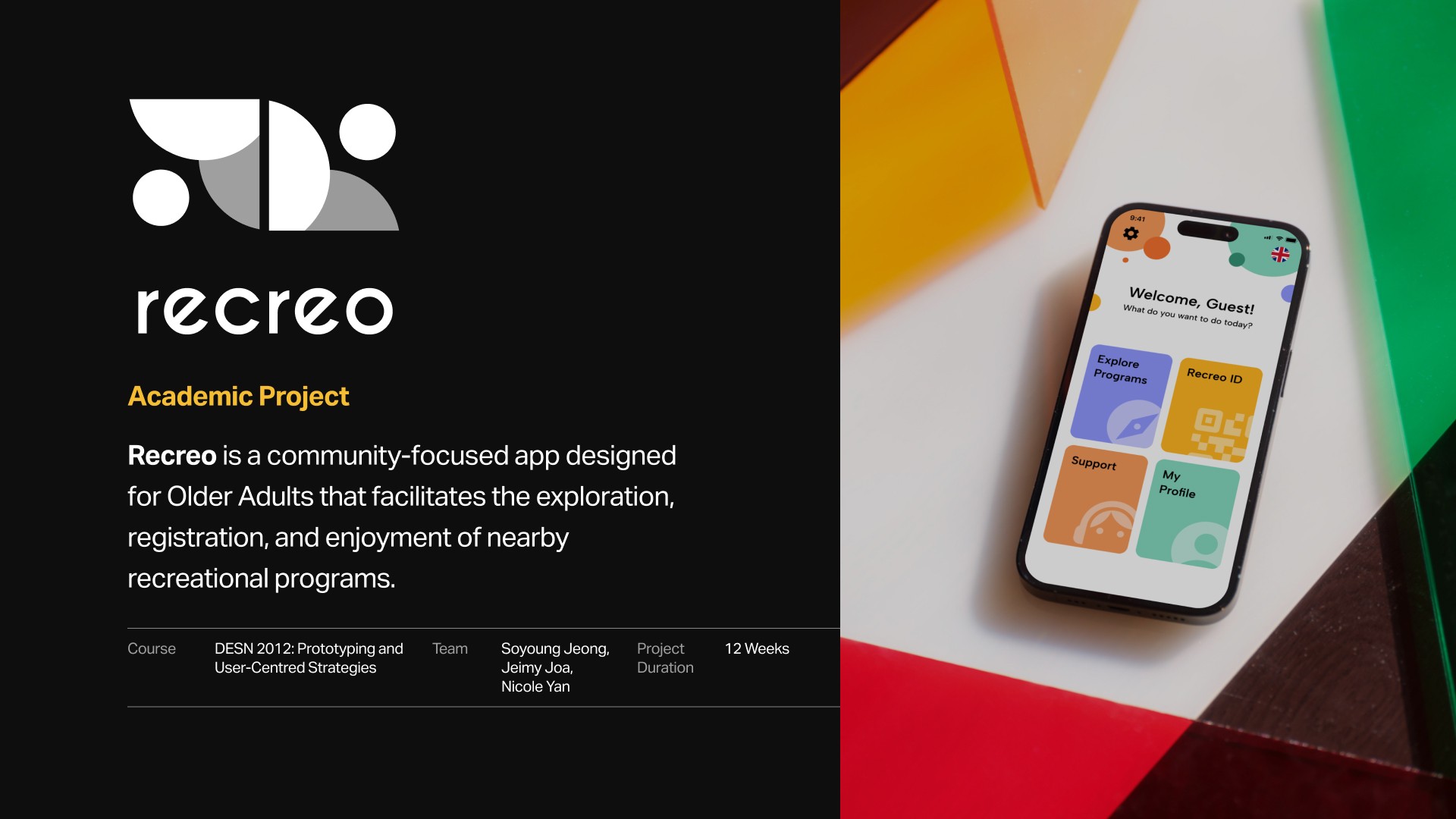
Recreo is a community-focused mobile application designed for Older Adults to facilitate the exploration, registration, and enjoyment of local recreational programs.
By translating the "guided experience" of in-person sign-ups into a digital interface, the app aims to reduce technical intimidation and foster social engagement for Older Adults.
THE PROBLEM SPACE: WHAT ARE WE SOLVING?
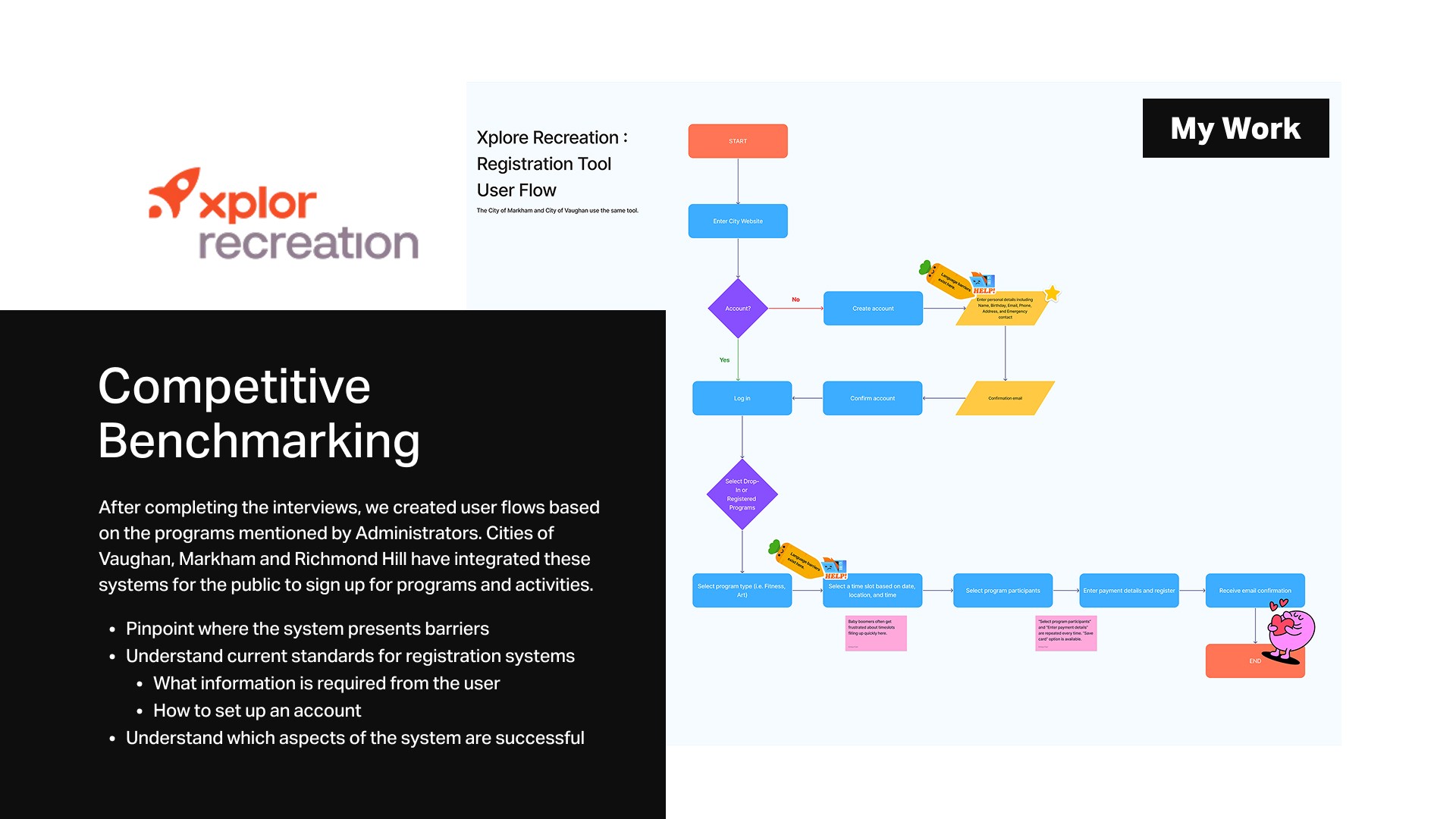
For many Older Adults, the familiarity of a face-to-face interaction at a community center remains the essential "gold standard" for feeling secure and validated when searching and registering for recreation programs. Through extensive research, including one-on-one interviews and competitive analyses, we found out that online registration is often avoided due to...
Language Barriers
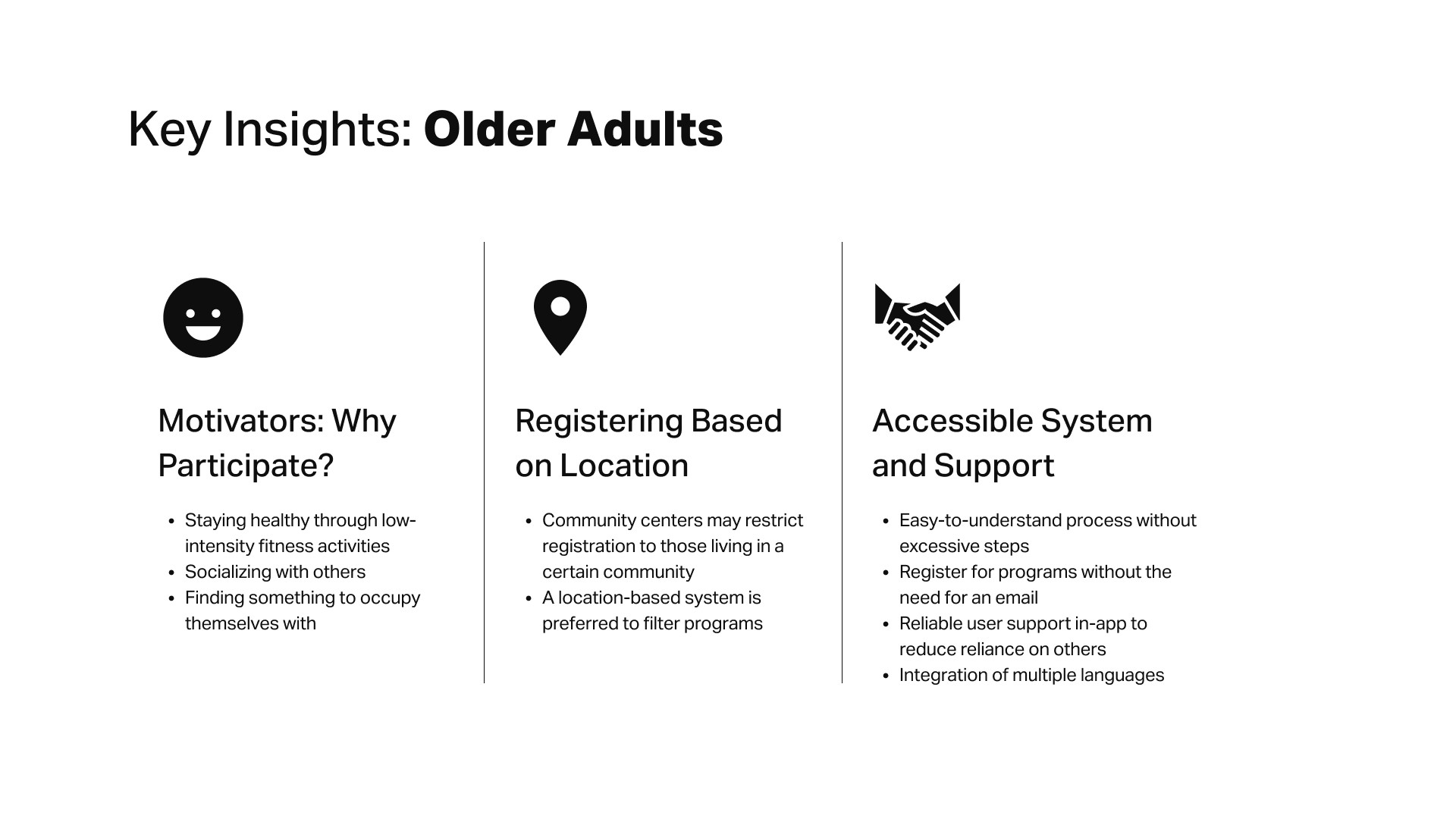
Non-English-speaking Older Adults struggle with registration due to limited language support, often needing assistance.
"[Some Older Adults] don't know how to navigate, they can't speak English fluently. They'll get their friend to do it for them. So we really lean on them to show them how to use our systems."
— Community Centre Admin, City of Markham
System Complexity
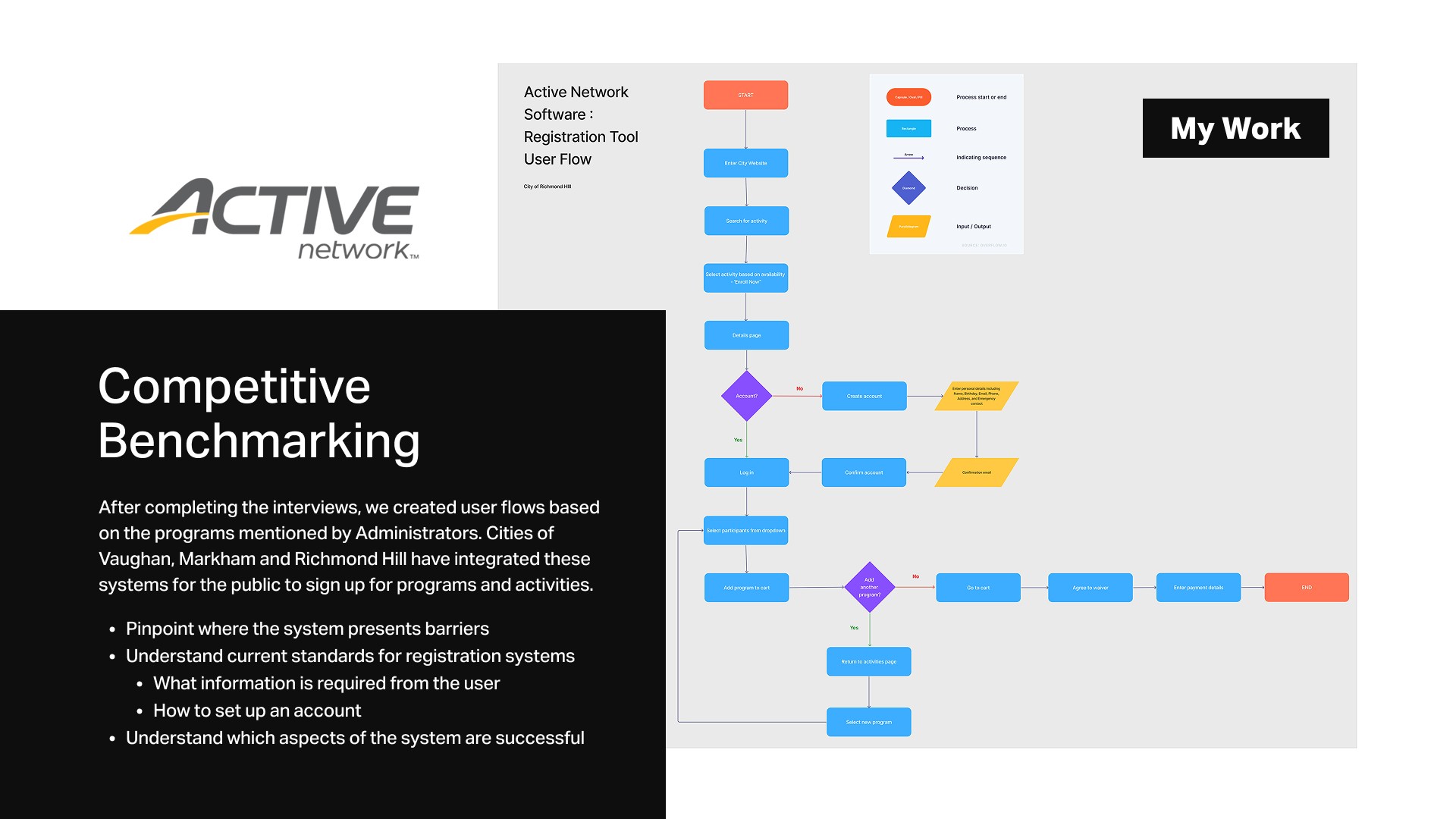
The online registration process is challenging due to too many steps, cluttered interfaces, and technical barriers.
"Older adults are a bit more intimidated by technology so occasionally we get feedback saying that using the online system creates more barriers."
— Community Recreation Manager, City of Markham
In-Person Registration Preference
Many Older Adults prefer in-person registration as they find them more familiar, accessible, and easier to navigate.
"I like signing up in person because it's just easier. I’ve always done things face-to-face, that’s just what I’m used to."
— Older Adult, City of Vaughan
THE OPPORTUNITY: A MOBILE SOLUTION
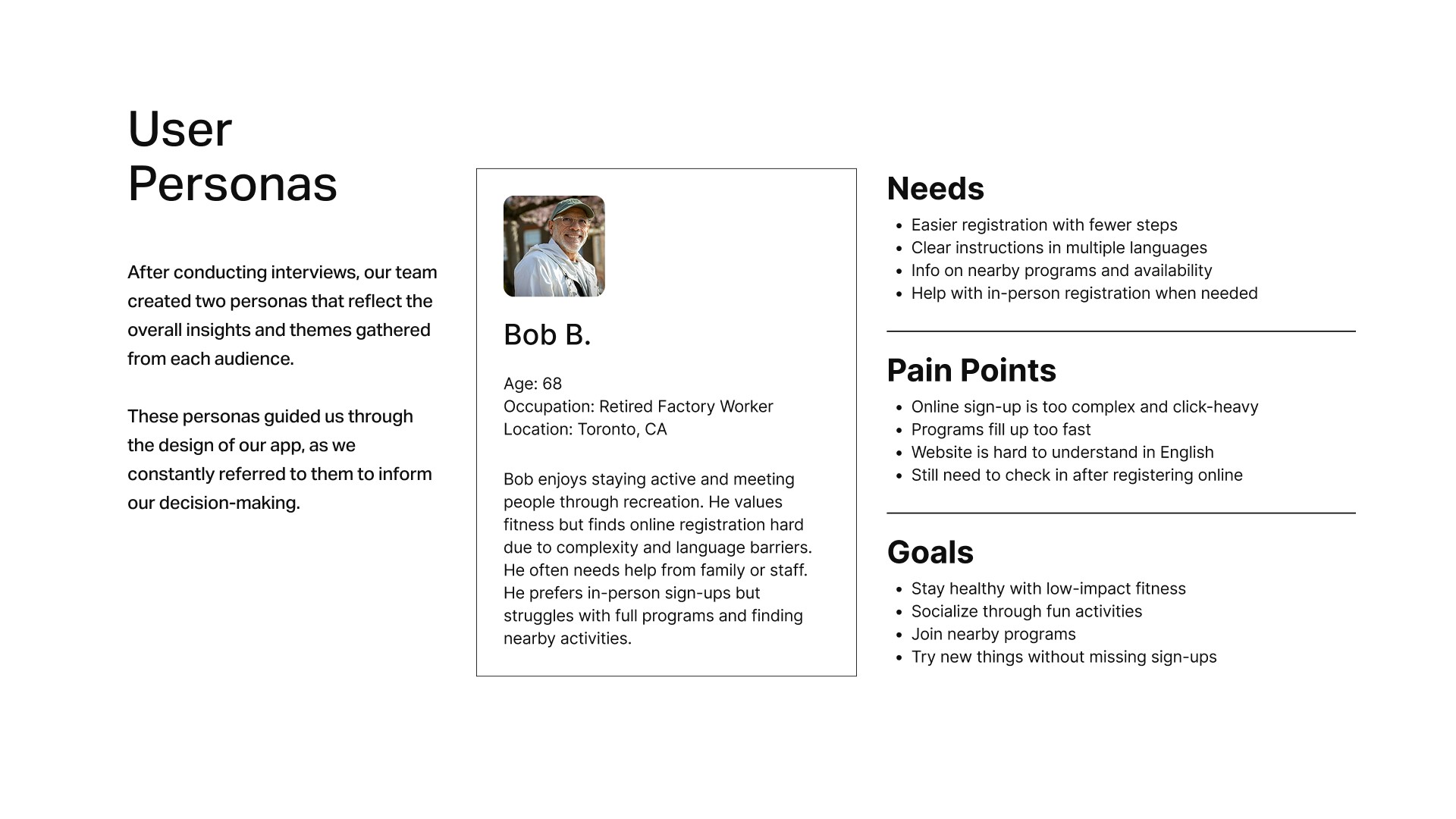
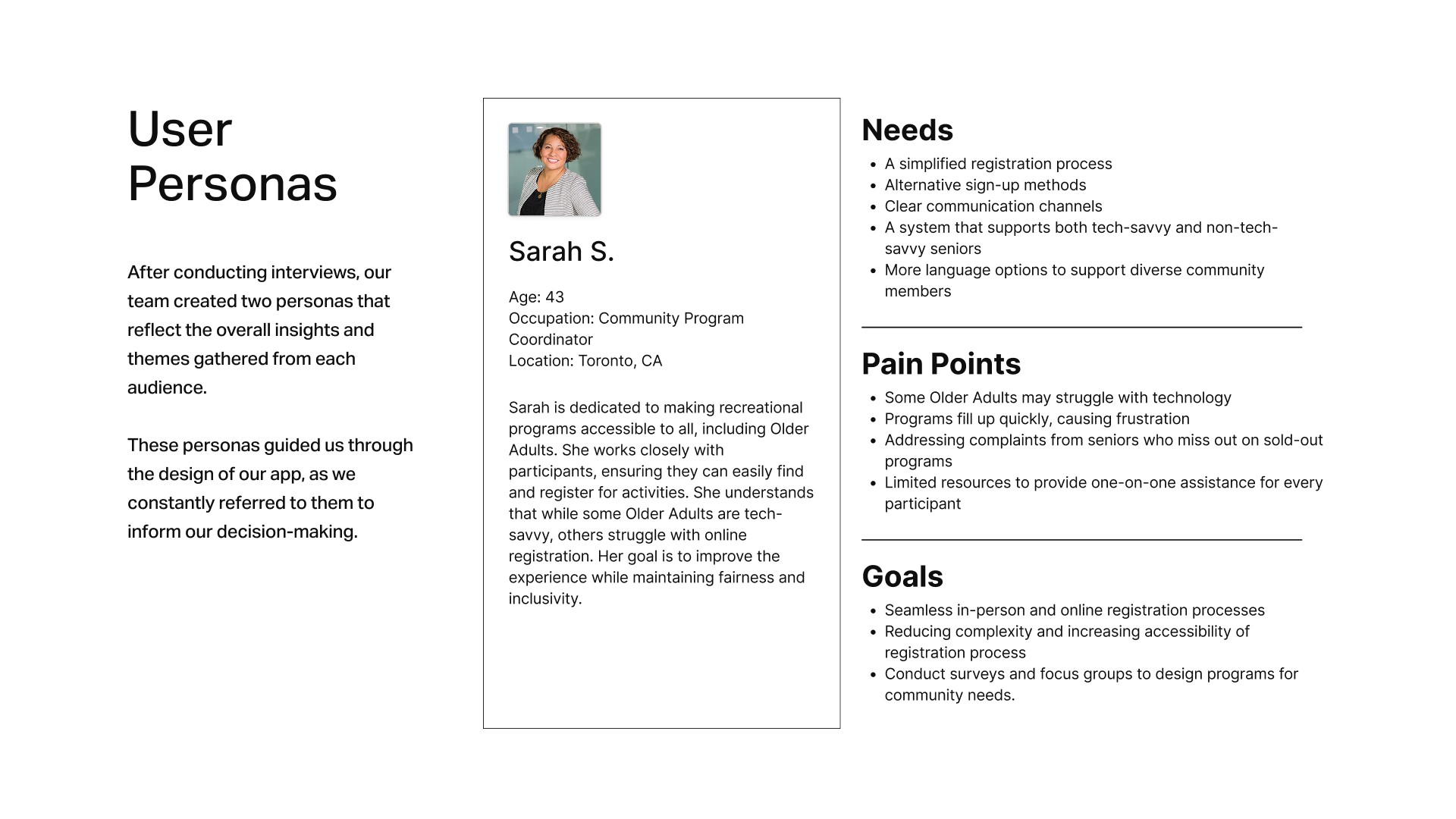
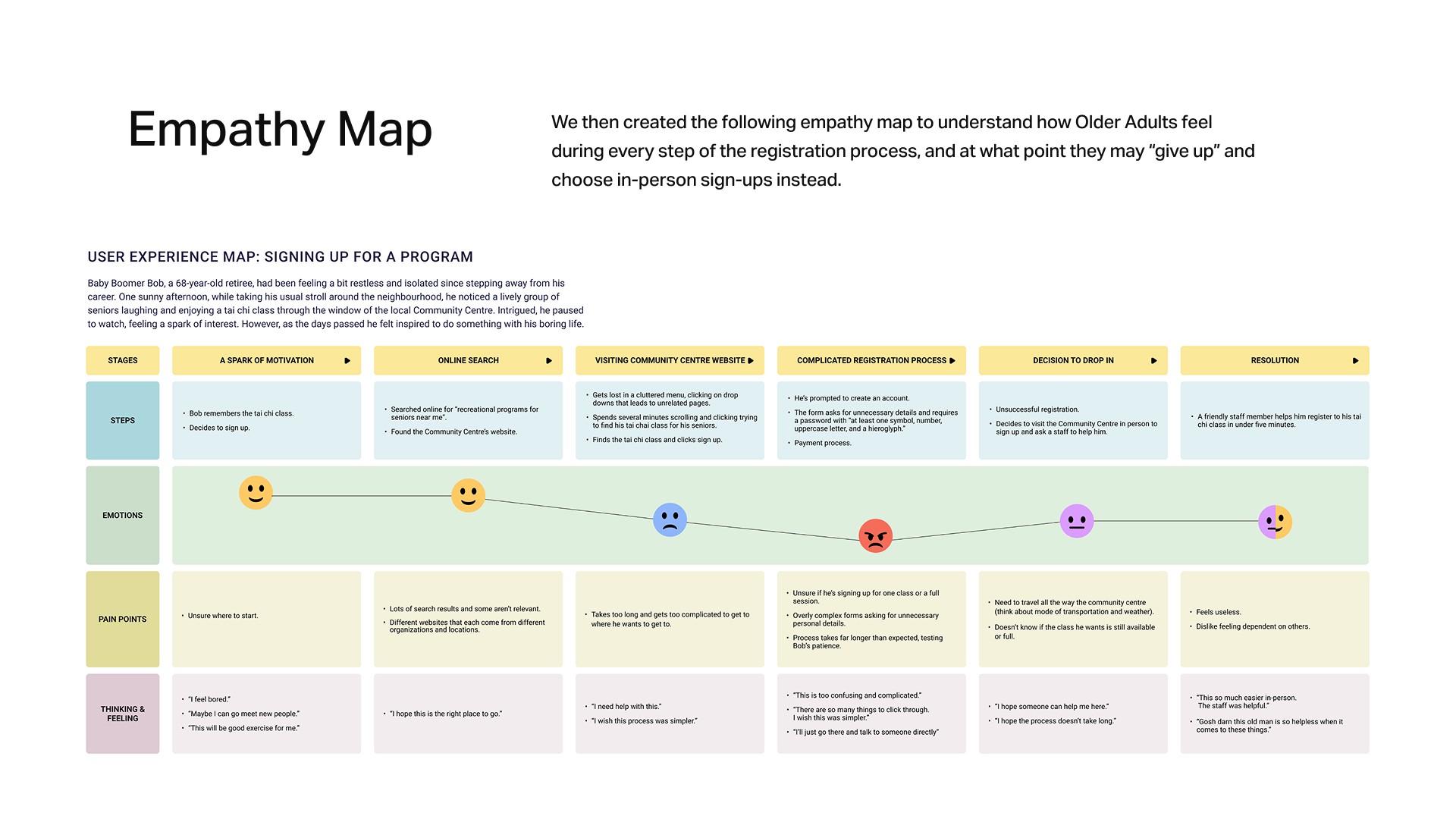
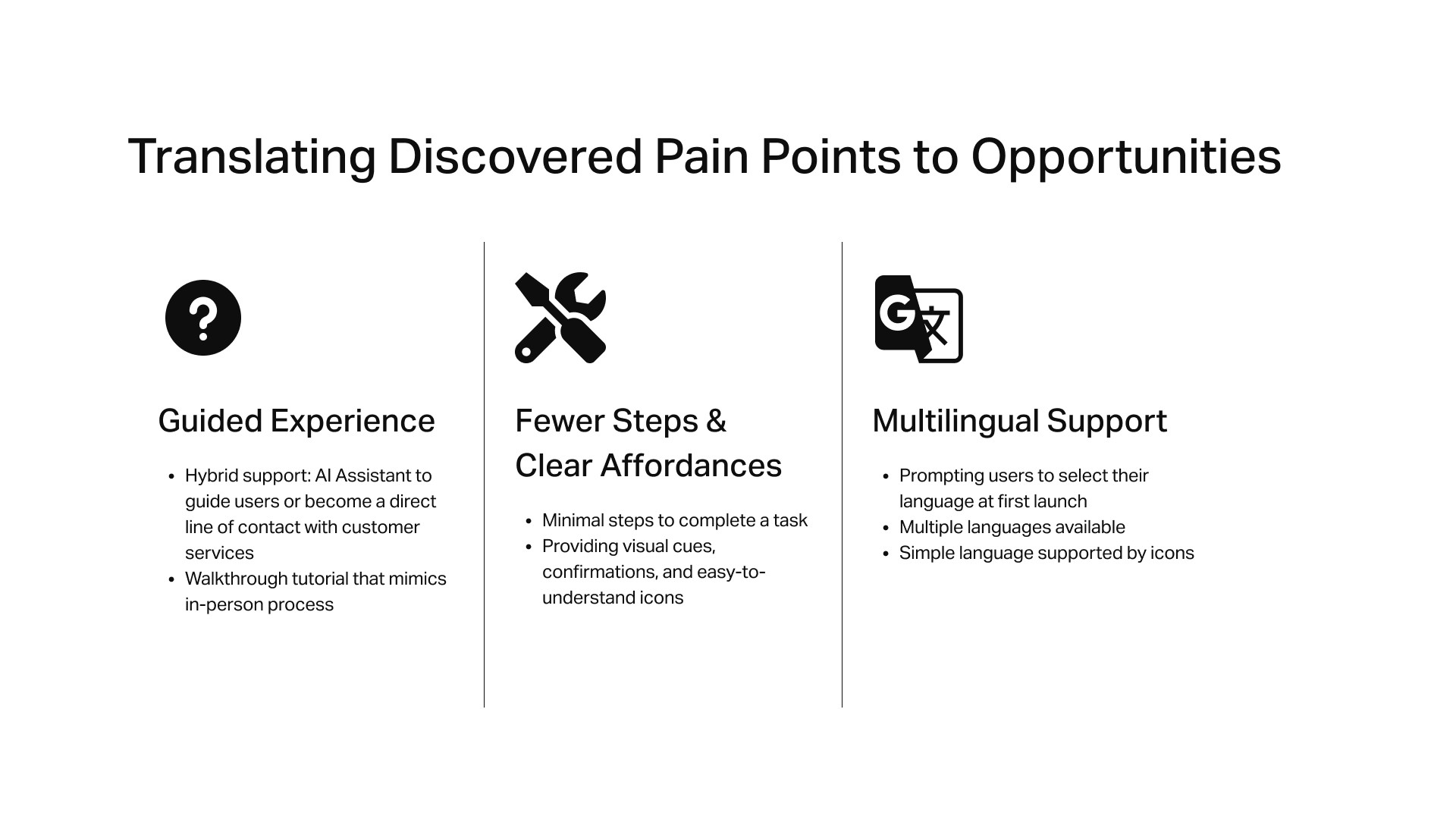
As we gathered our insights gained from stakeholder interviews, systems research and competitor analyses, developing user personas and empathy maps, we identified three primary pain points that can be addressed in the form of a mobile app:
Multilingual Support
Implement a language selection screen during the onboarding phase.
Ensure user-friendly language and copy, supported by universal icons where appropriate.
Fewer Steps & Clear Affordances
Break down and clarify the number of steps required to complete a task, specifically registering for a program.
Implement visual cues and easy-to-understand iconography.
Guided Experience
Develop a walkthrough experience that mimics that of an in-person registration.
Integrate a conversational chatbot to guide users and directly connect them with community centre staff.
Design an app that streamlines the process of finding and signing up for recreational activities for Older Adults by clarifying registration, providing language support, and incorporating conversational aspects from the experience of in-person sign-ups that they are familiar with?
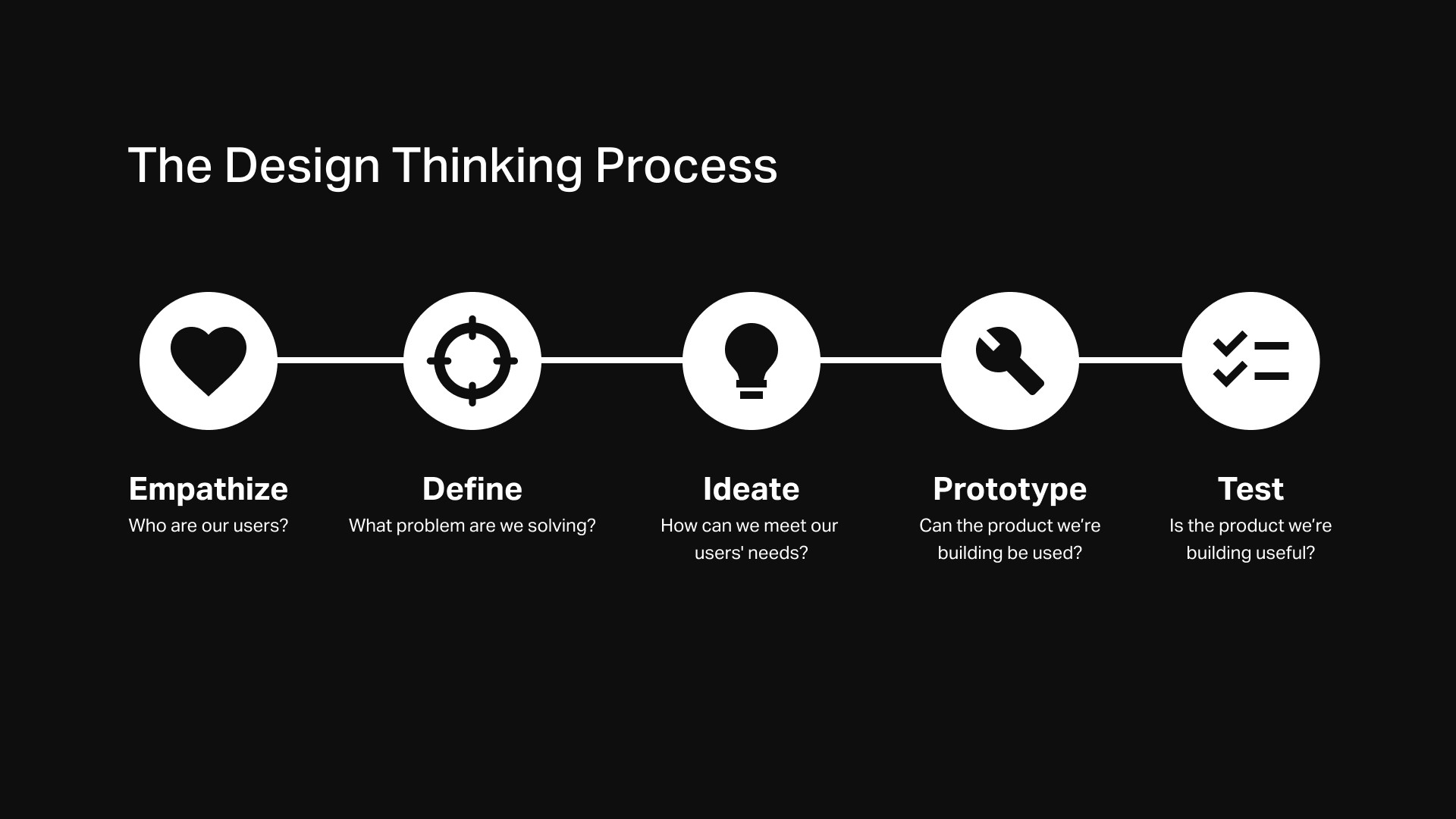
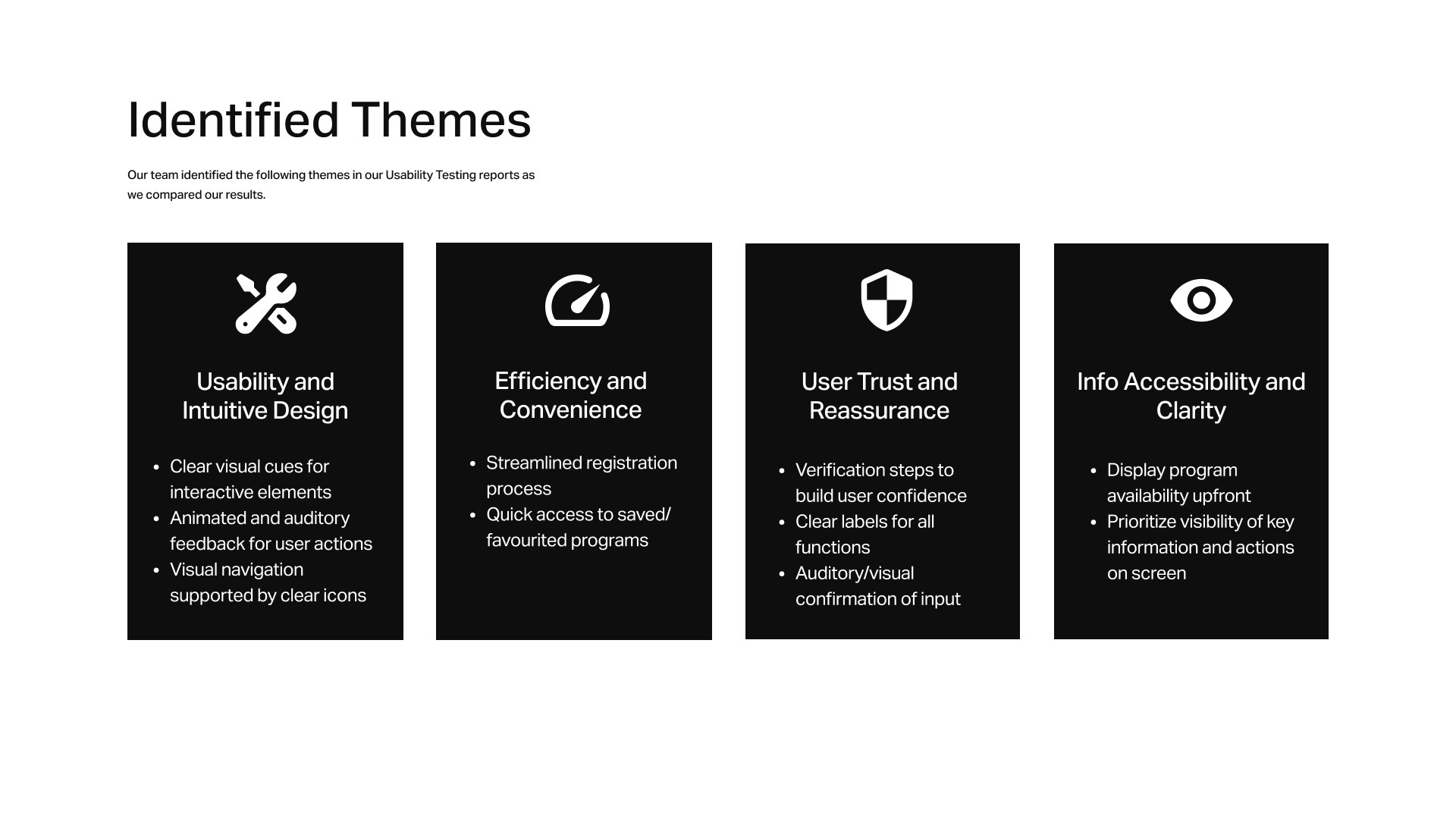
To bring that same trust and clarity to a mobile app, we leveraged the Design Thinking framework to inform our research, ideation, prototyping, and usability testing methods. This helped us design a guided and user-centered experience that mirrors the reassurance of in-person registration.
By implementing multilingual support and auditory feedback, we designed an app that transforms a once-daunting registration process into an approachable and intuitive experience, empowering seniors to stay active and socially engaged in their community.
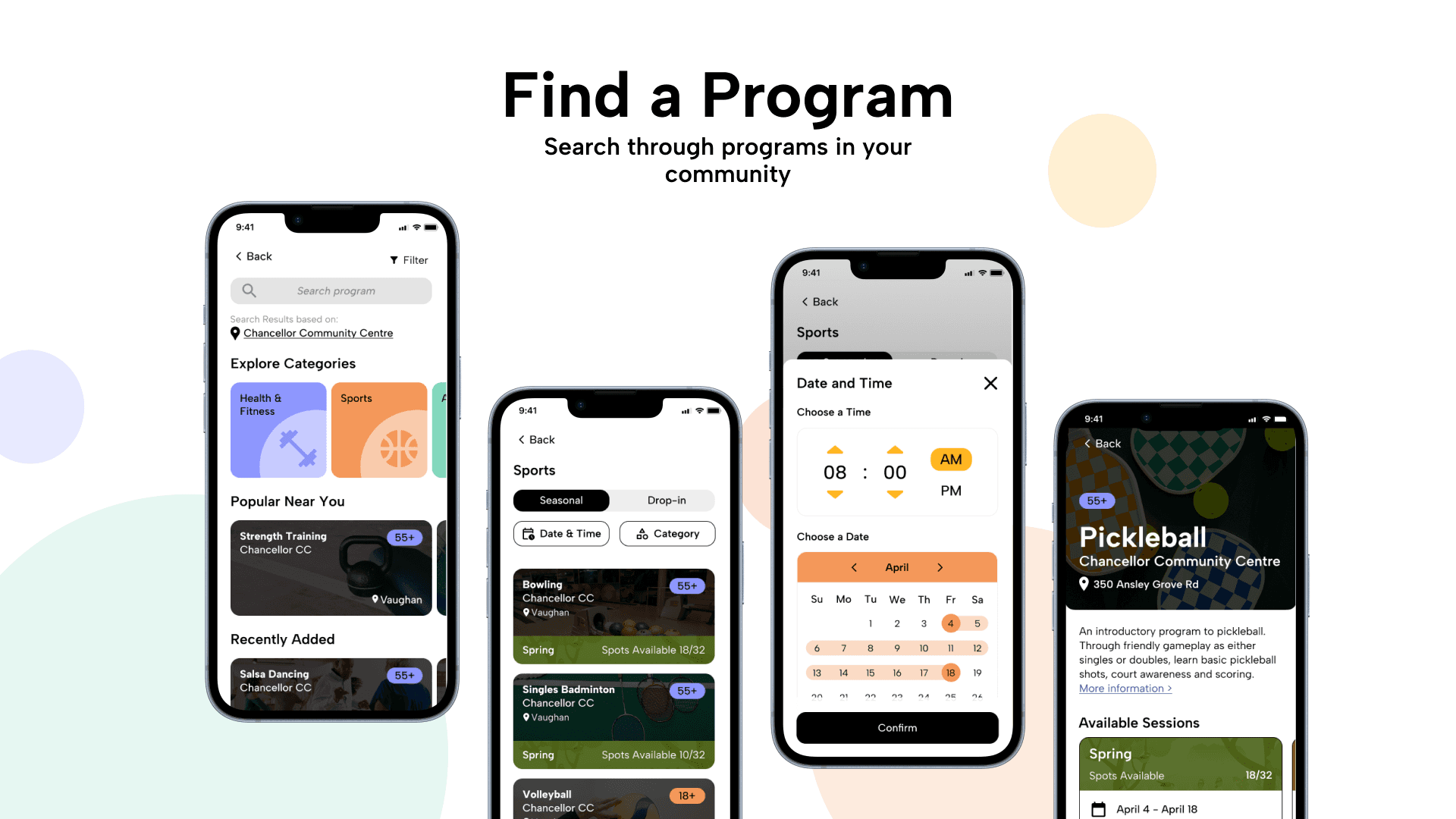
KEY FEATURES
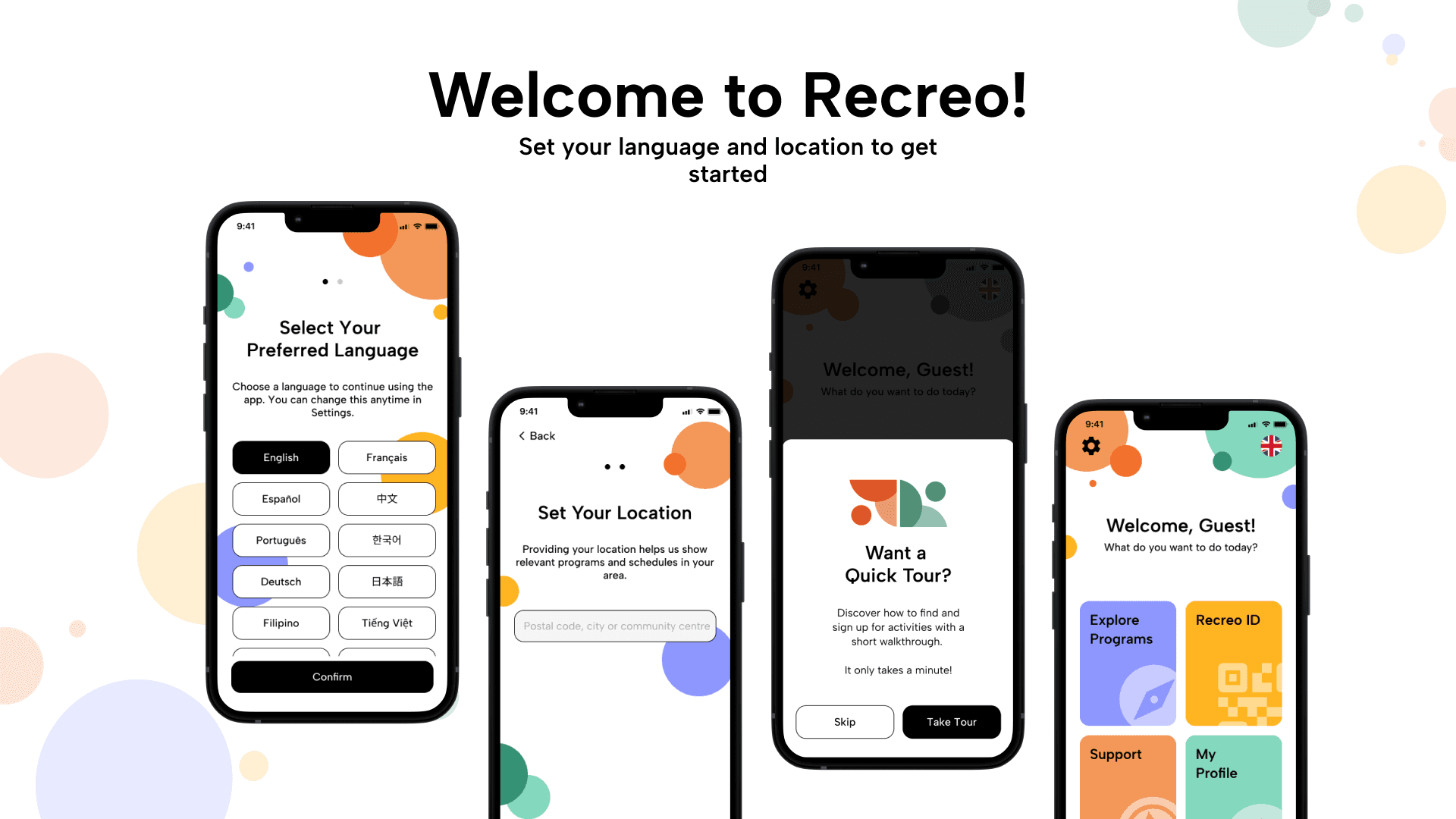
Multilingual Support
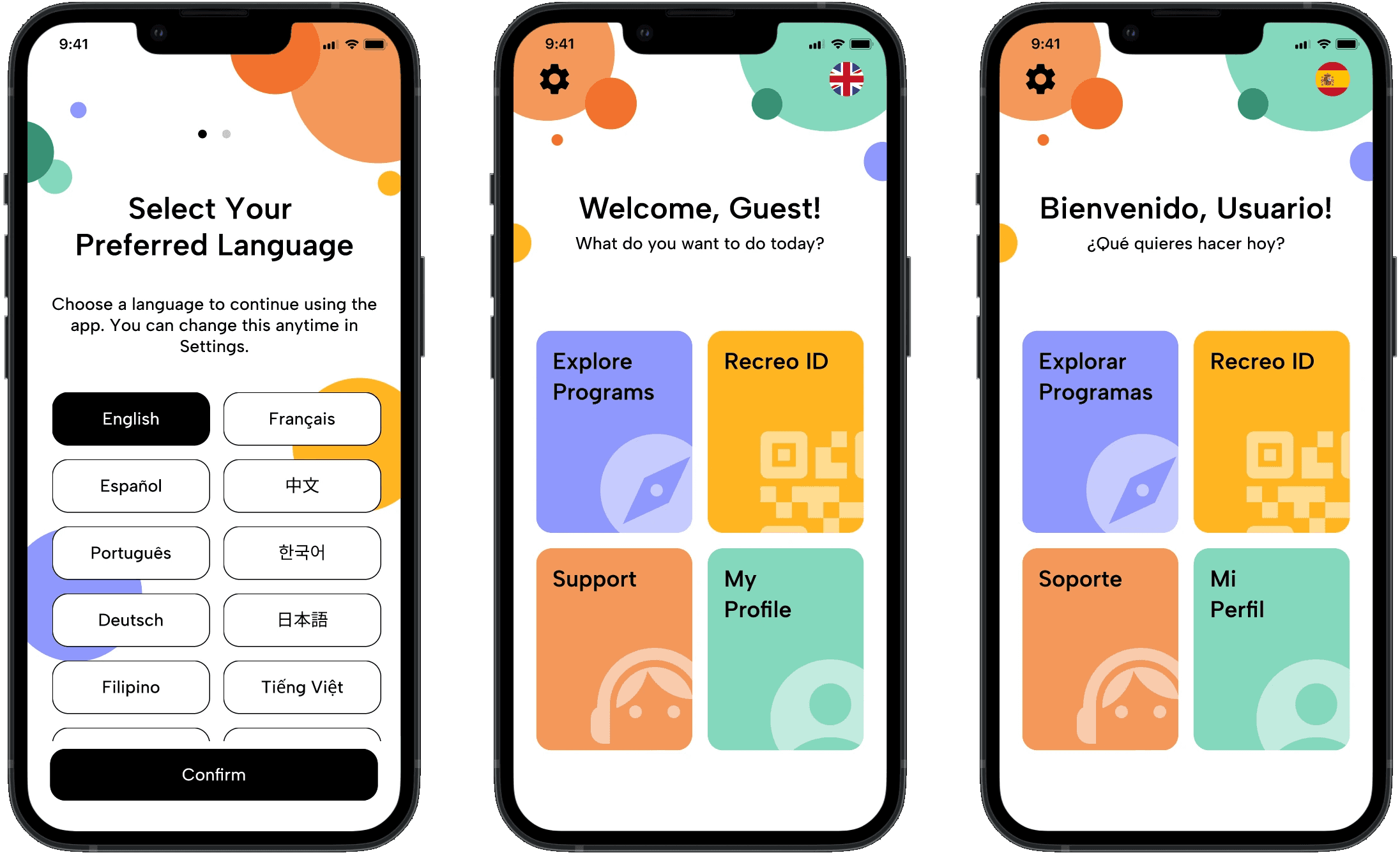
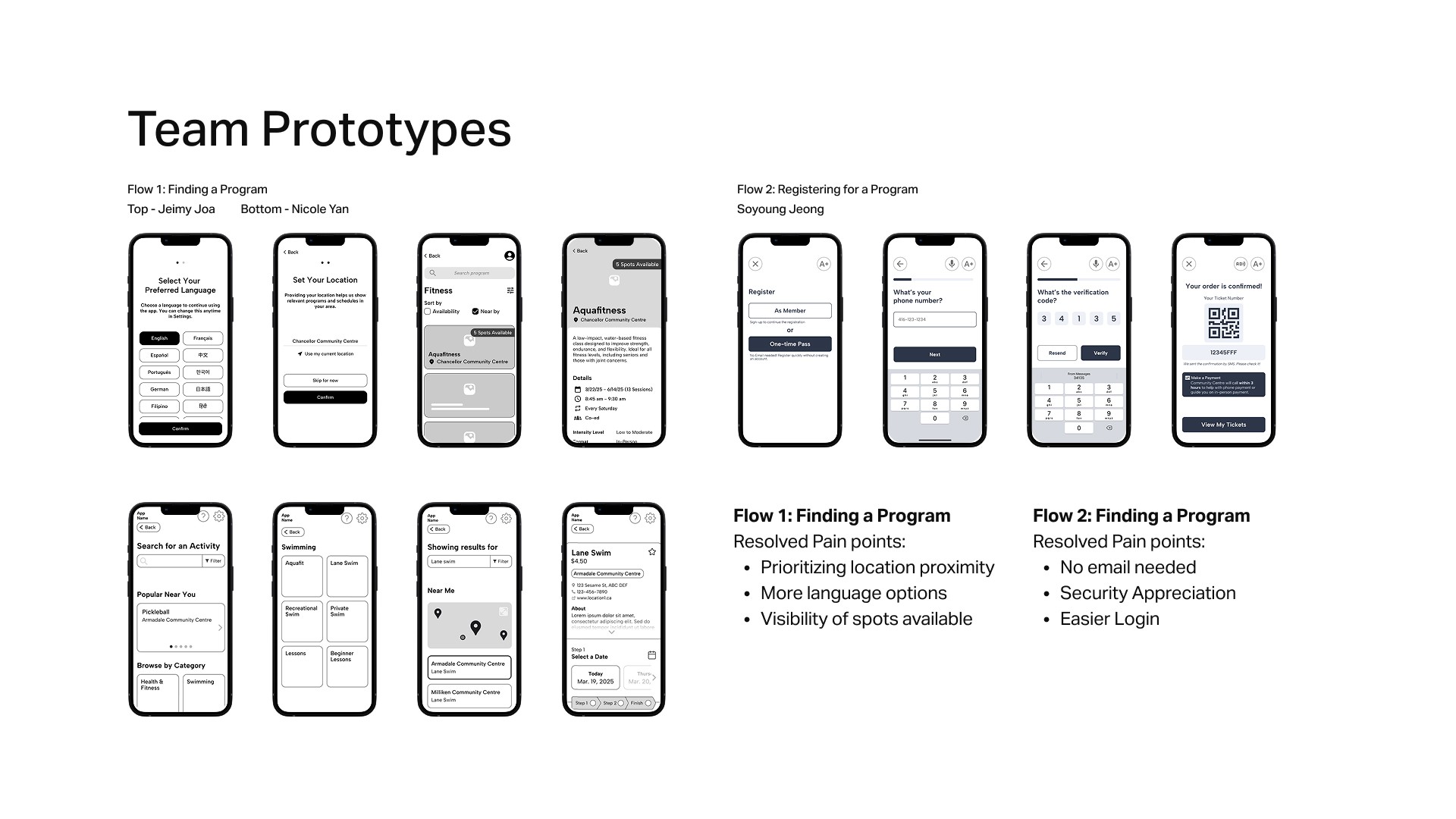
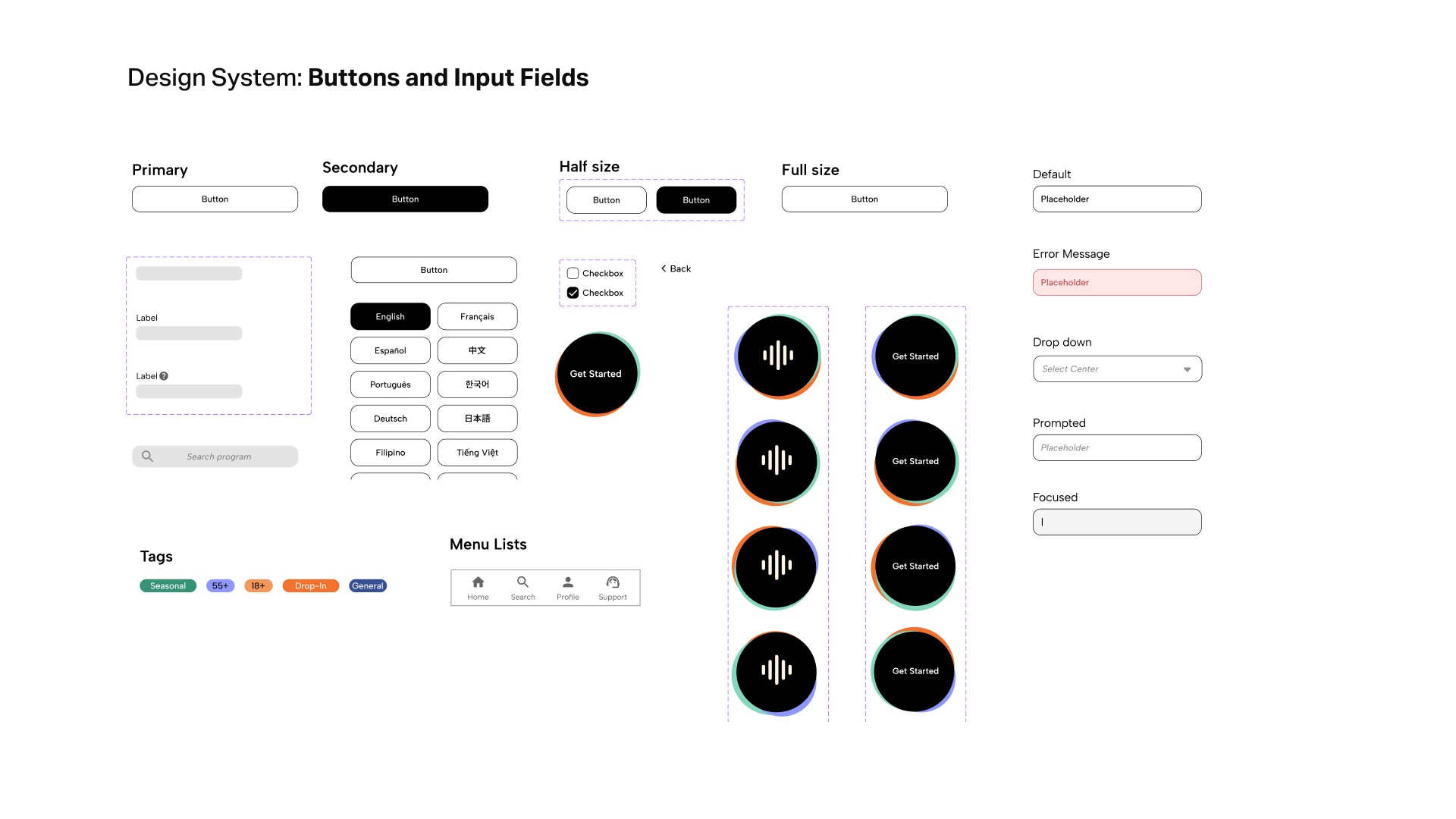
Multiple languages offered to support the diverse community of users in the GTA.
By allowing the user to select their preferred language the first time that they open Recreo, the language barrier that often interferes with the registration process is addressed.
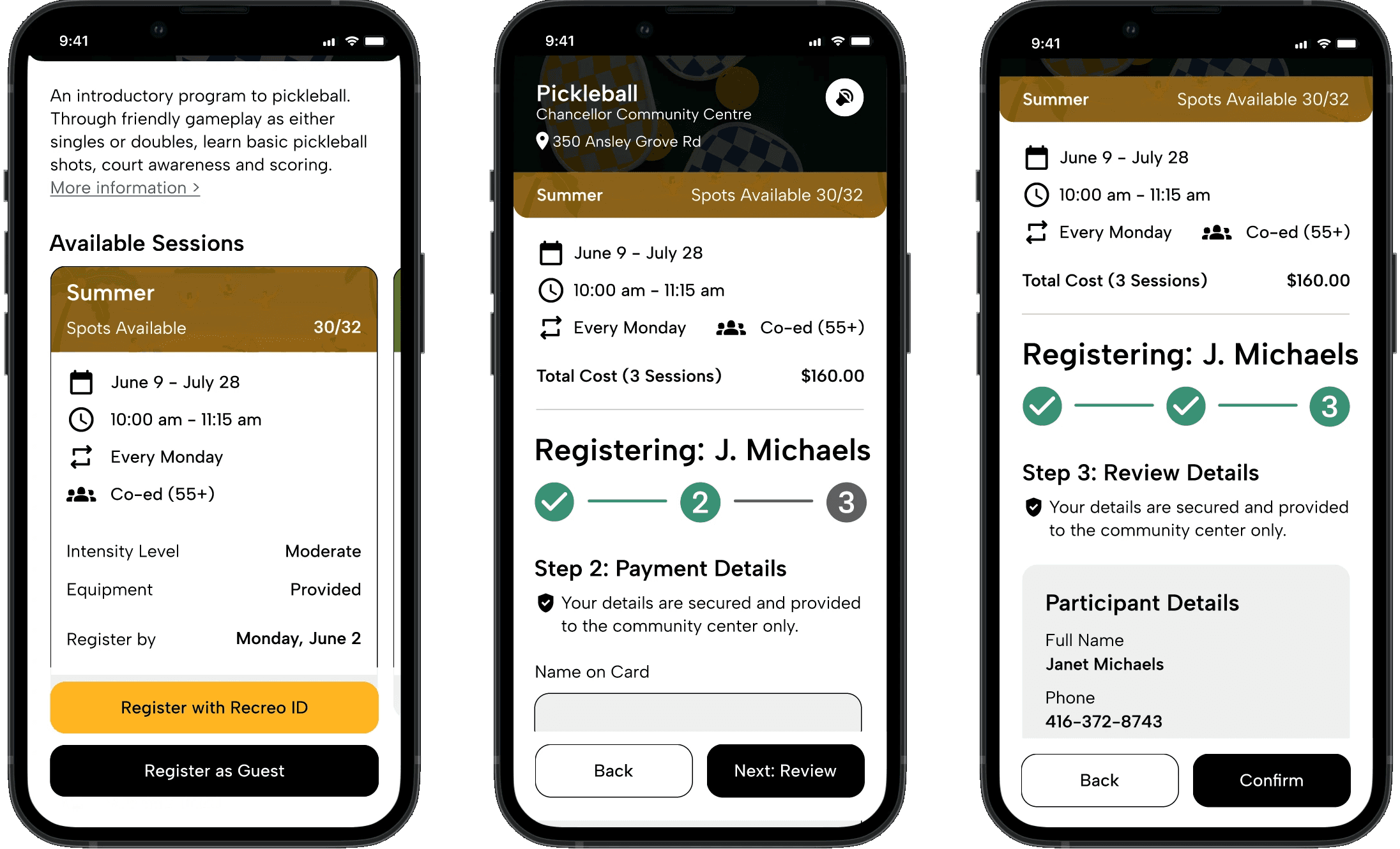
Clear Sign-Up Process
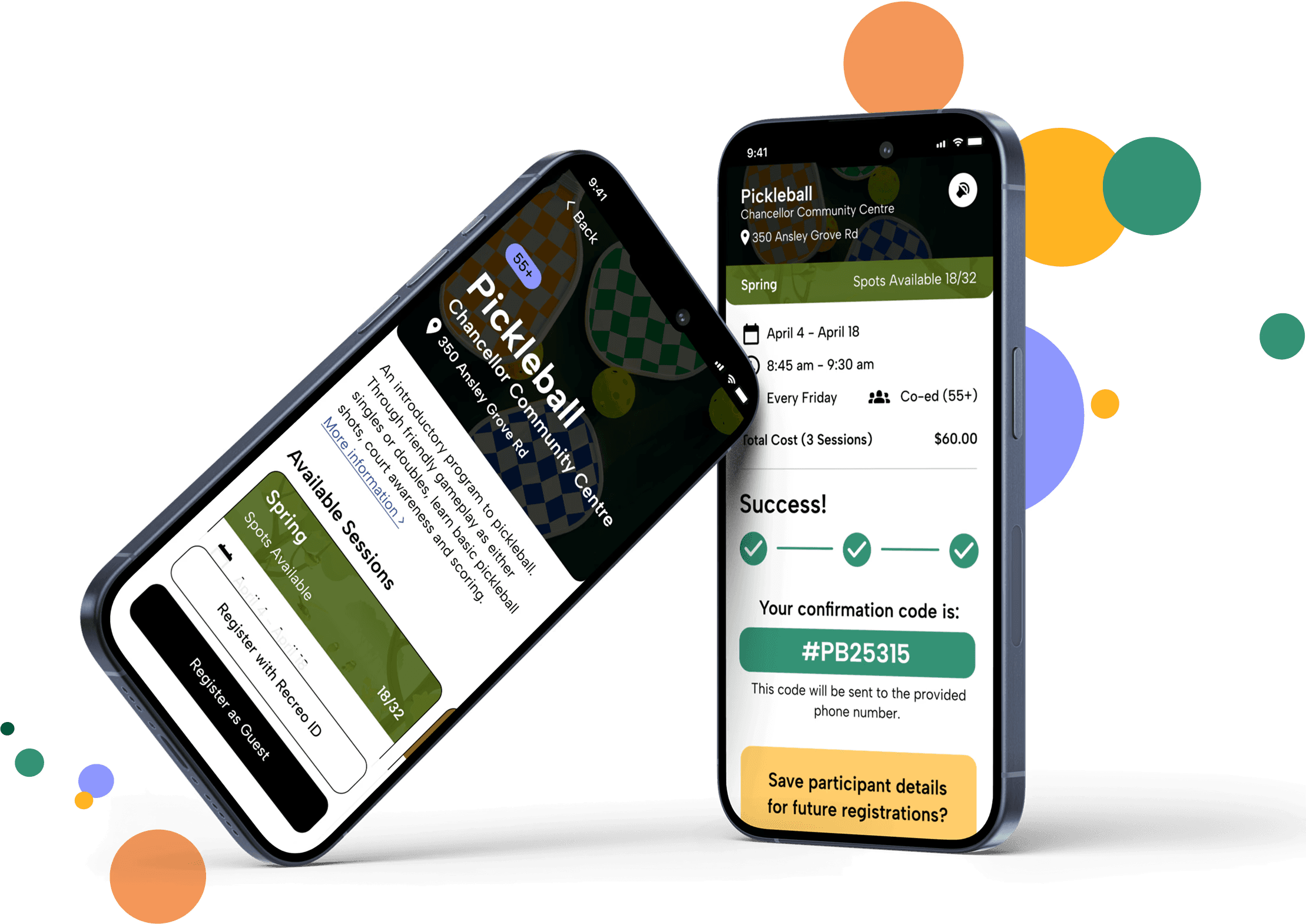
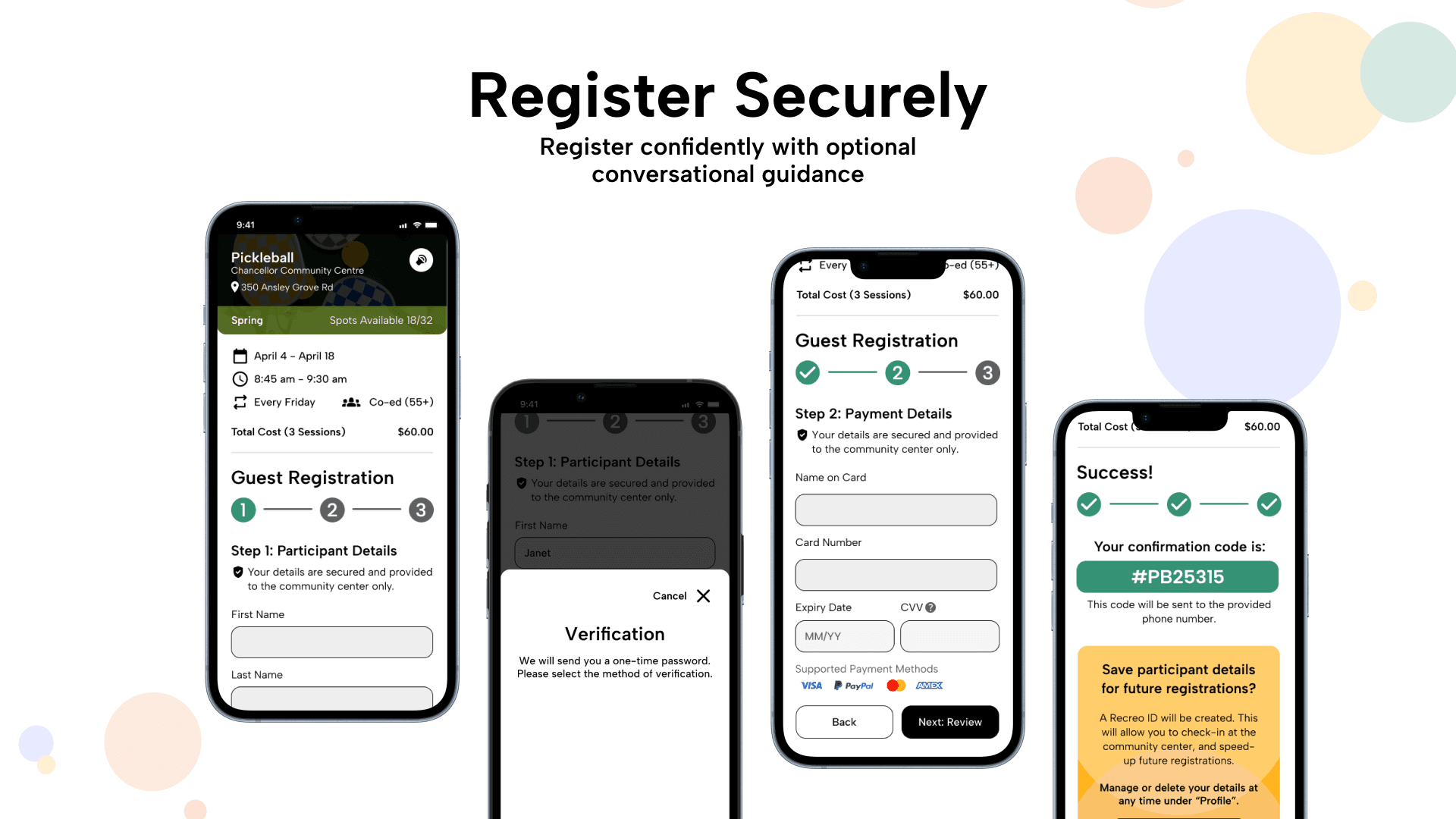
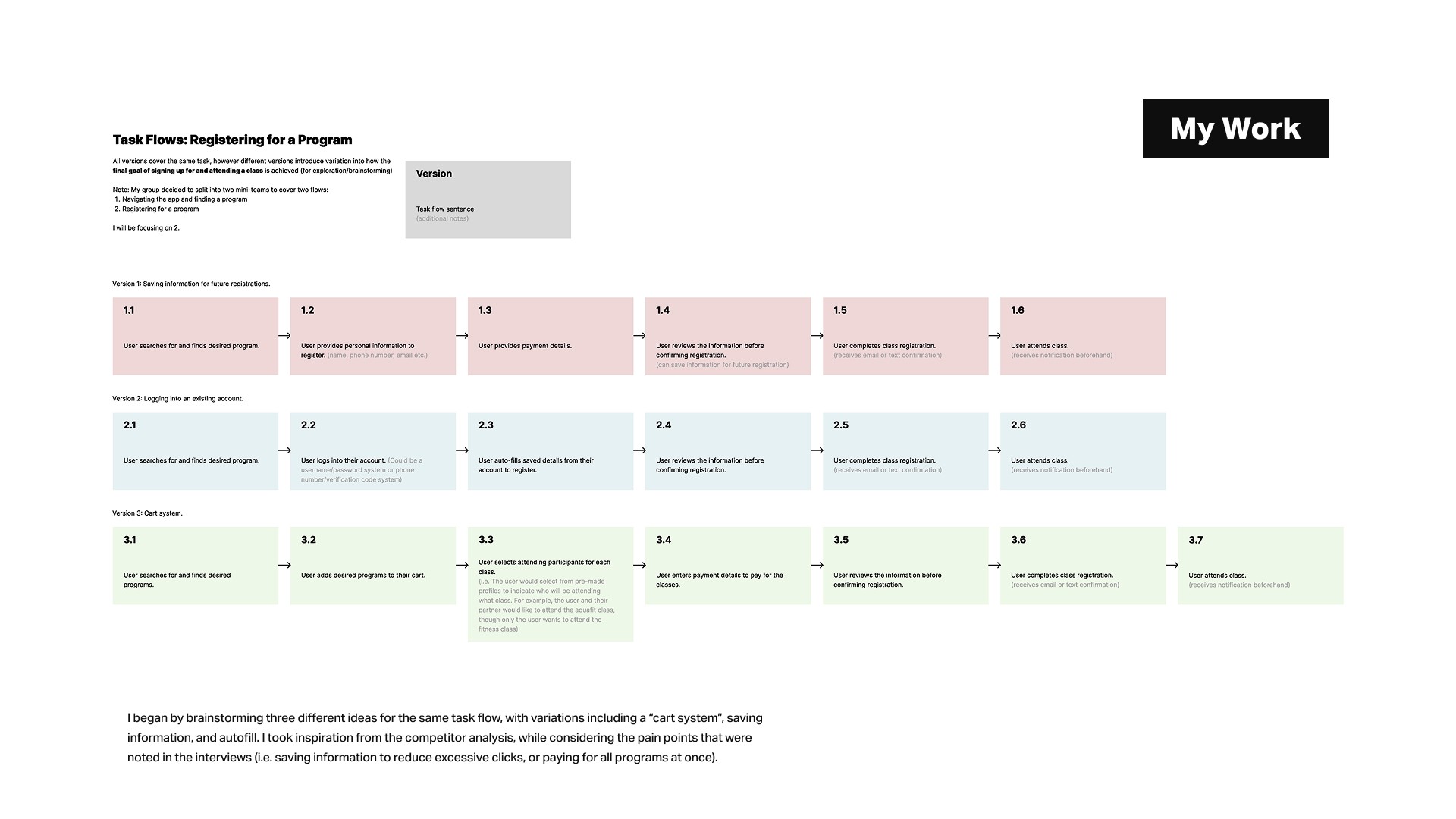
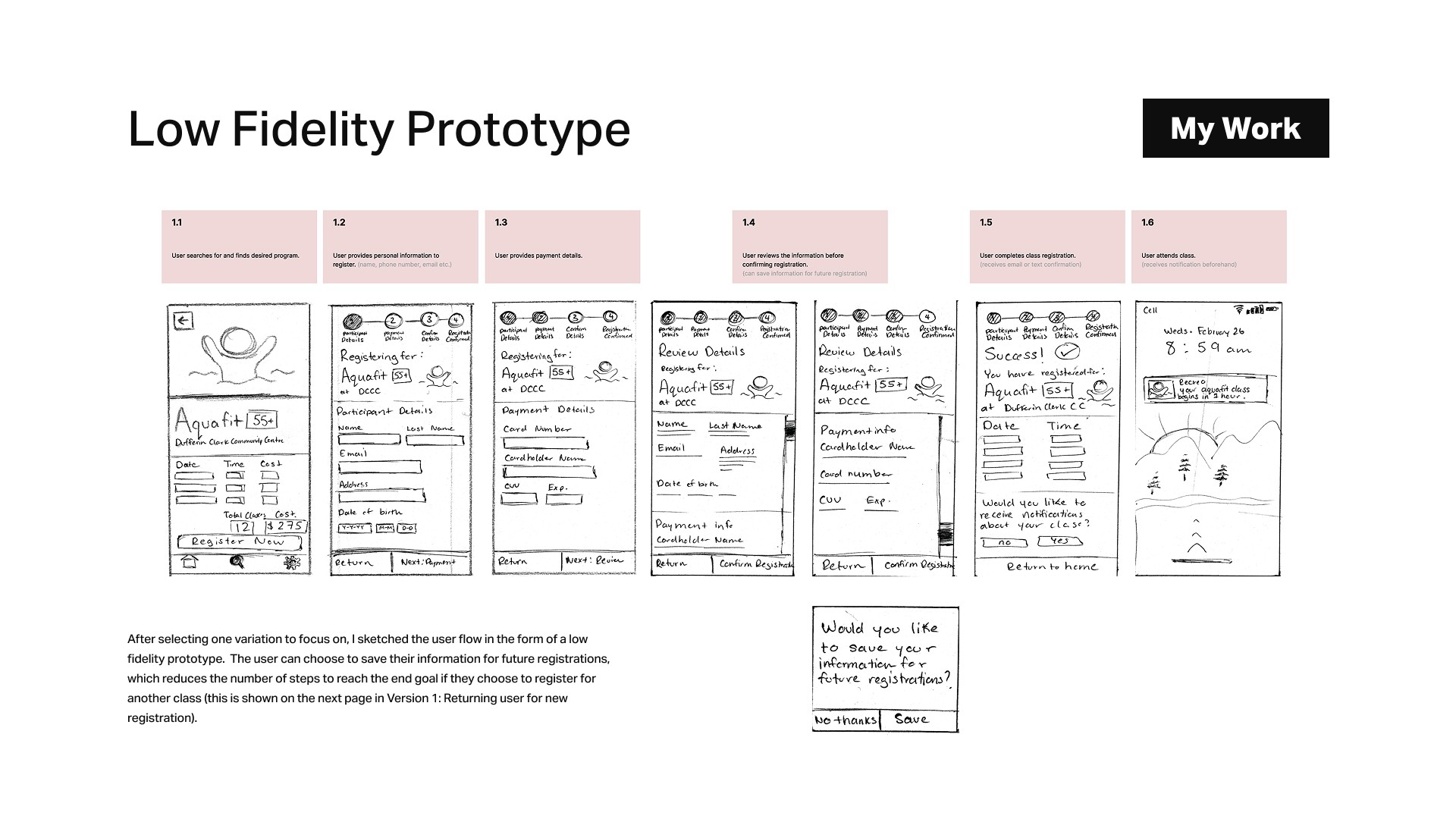
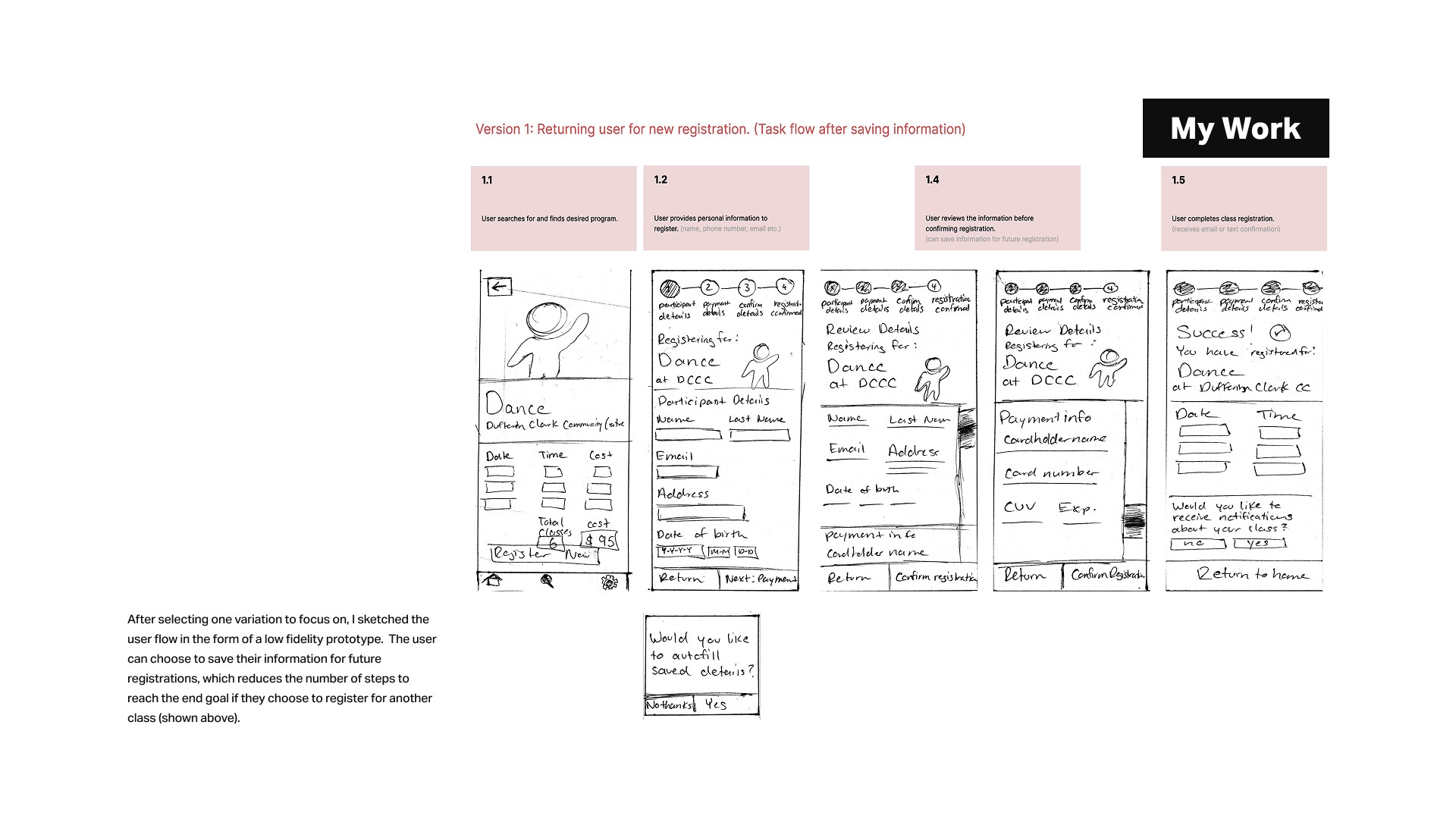
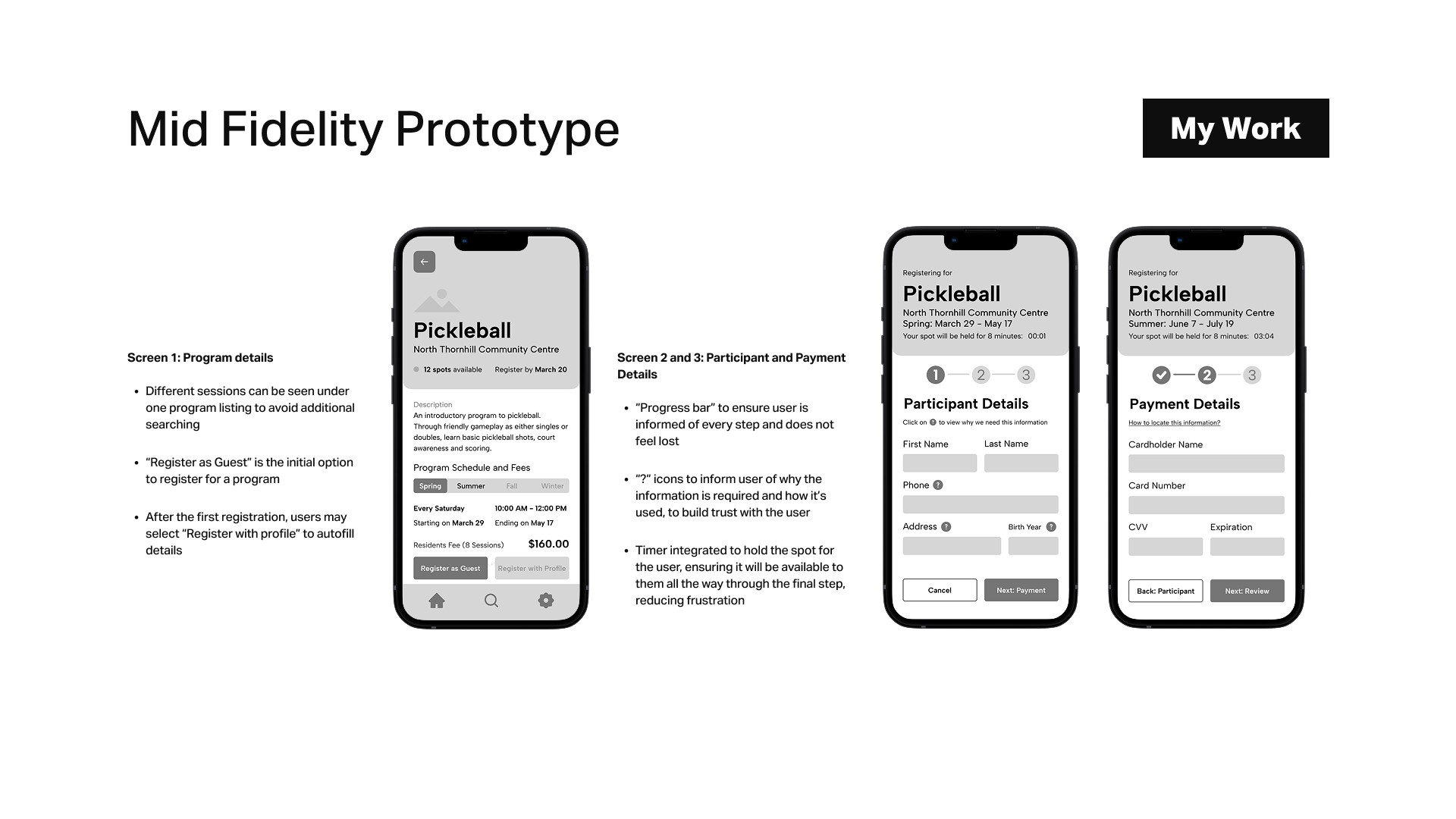
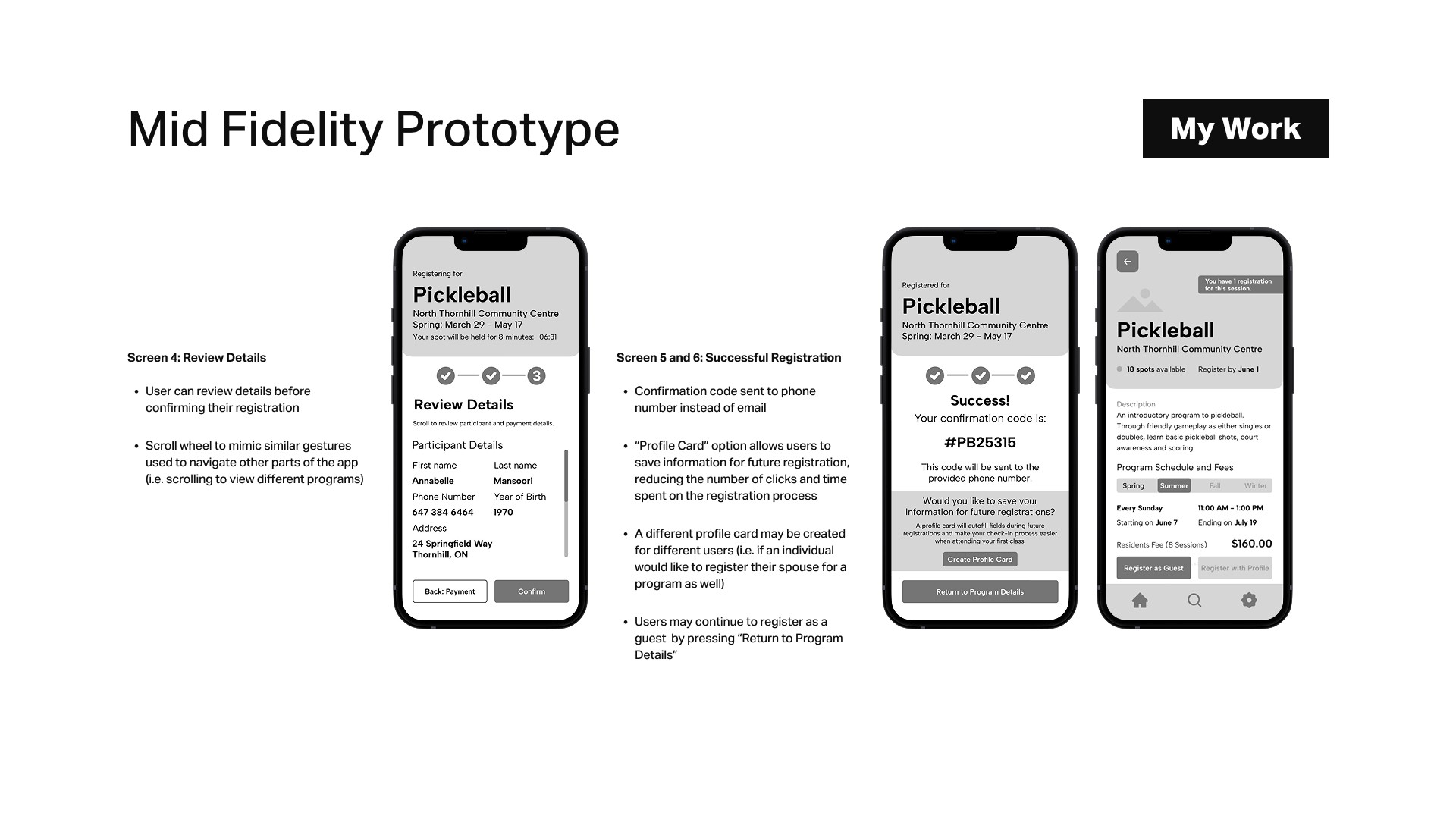
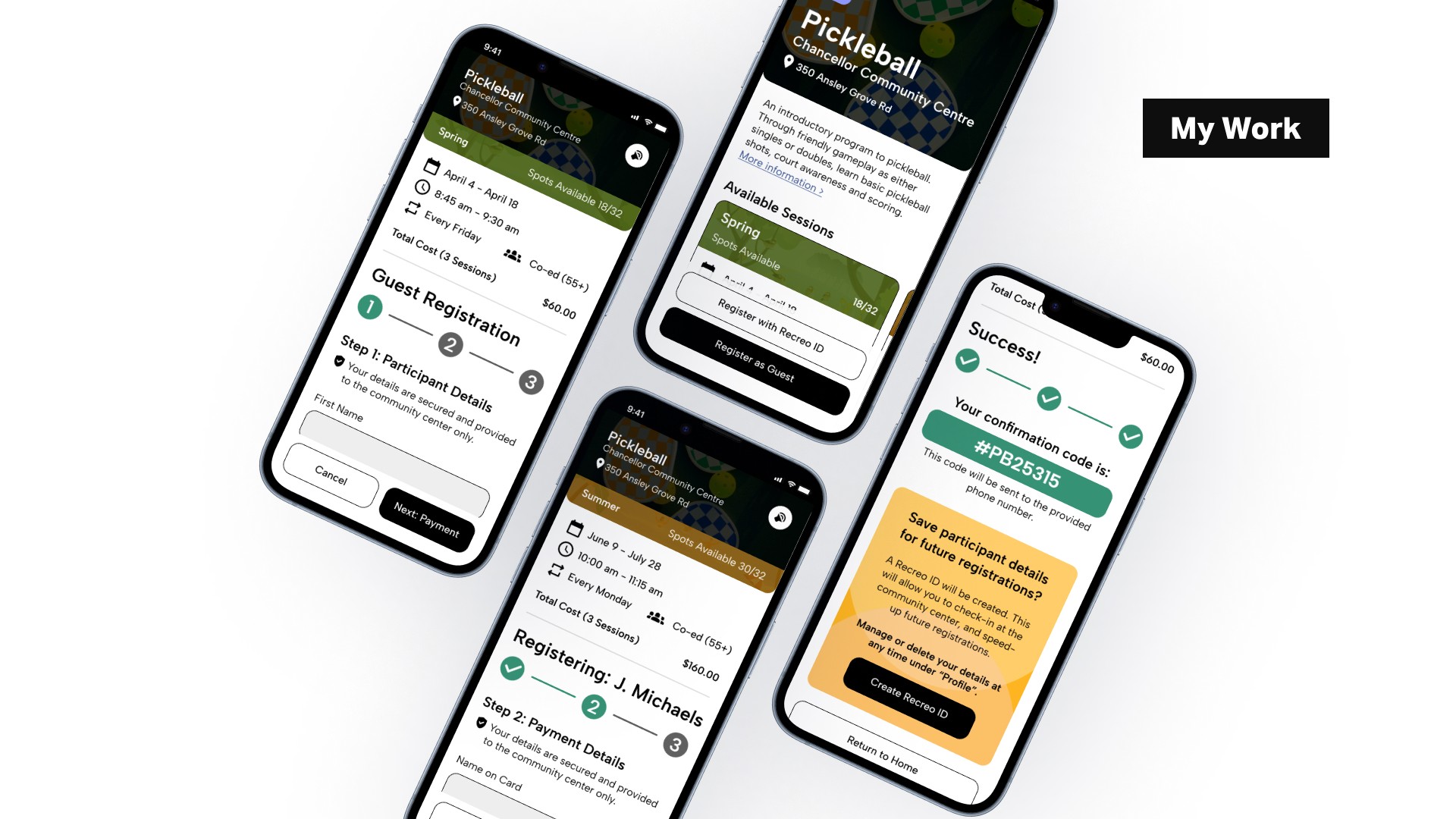
Users are guided through 3 main steps to complete registration, reduced to 2 if they create a Recreo ID for future sign-ups.
By clarifying the total number of steps, this solution reduces uncertainty and retains users through the registration process.
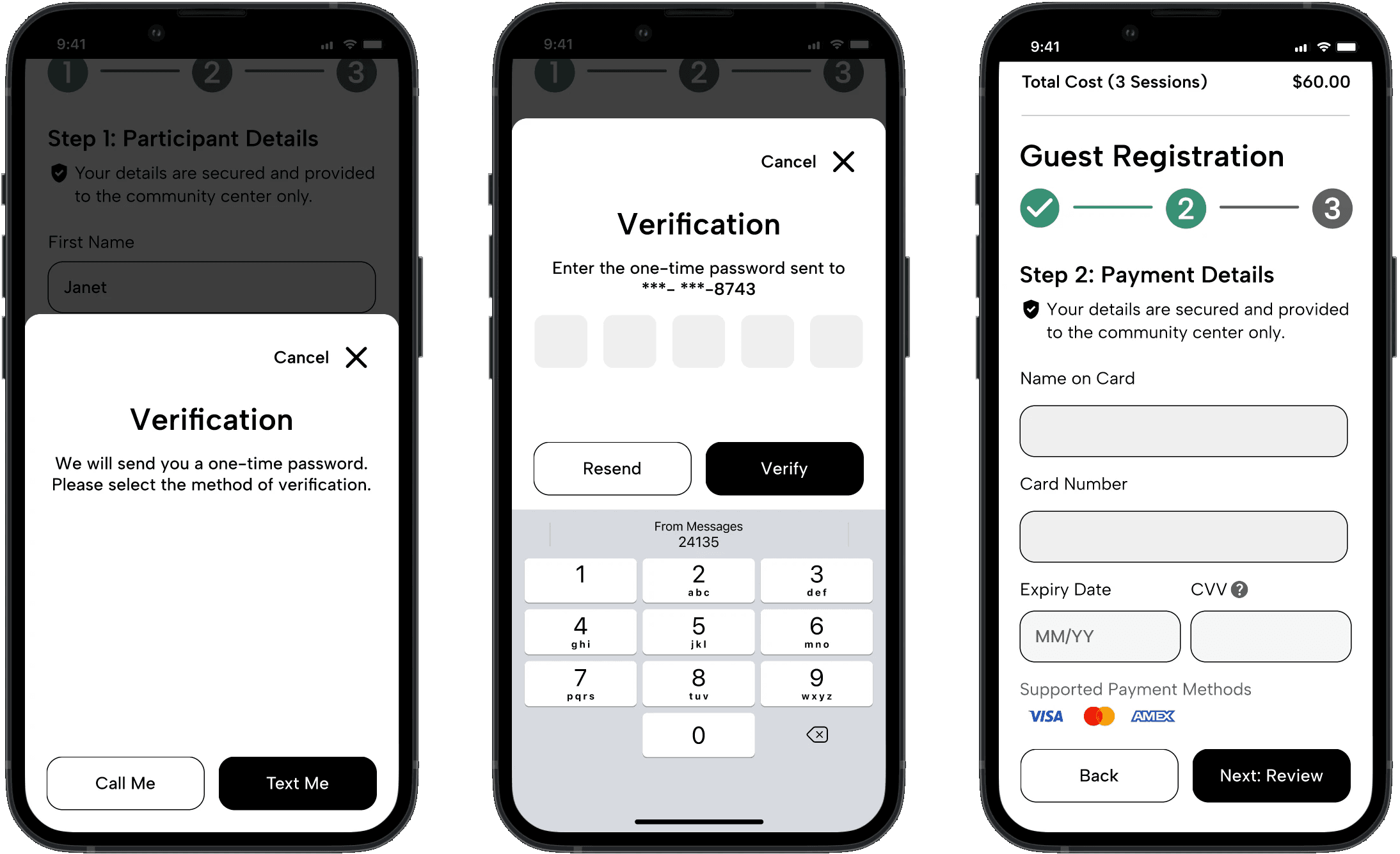
Information Security
Users must verify their phone number before proceeding to the payment step to confirm their identity and ensure account security. Gentle reminders of information security are included to build trust and reassure the user.
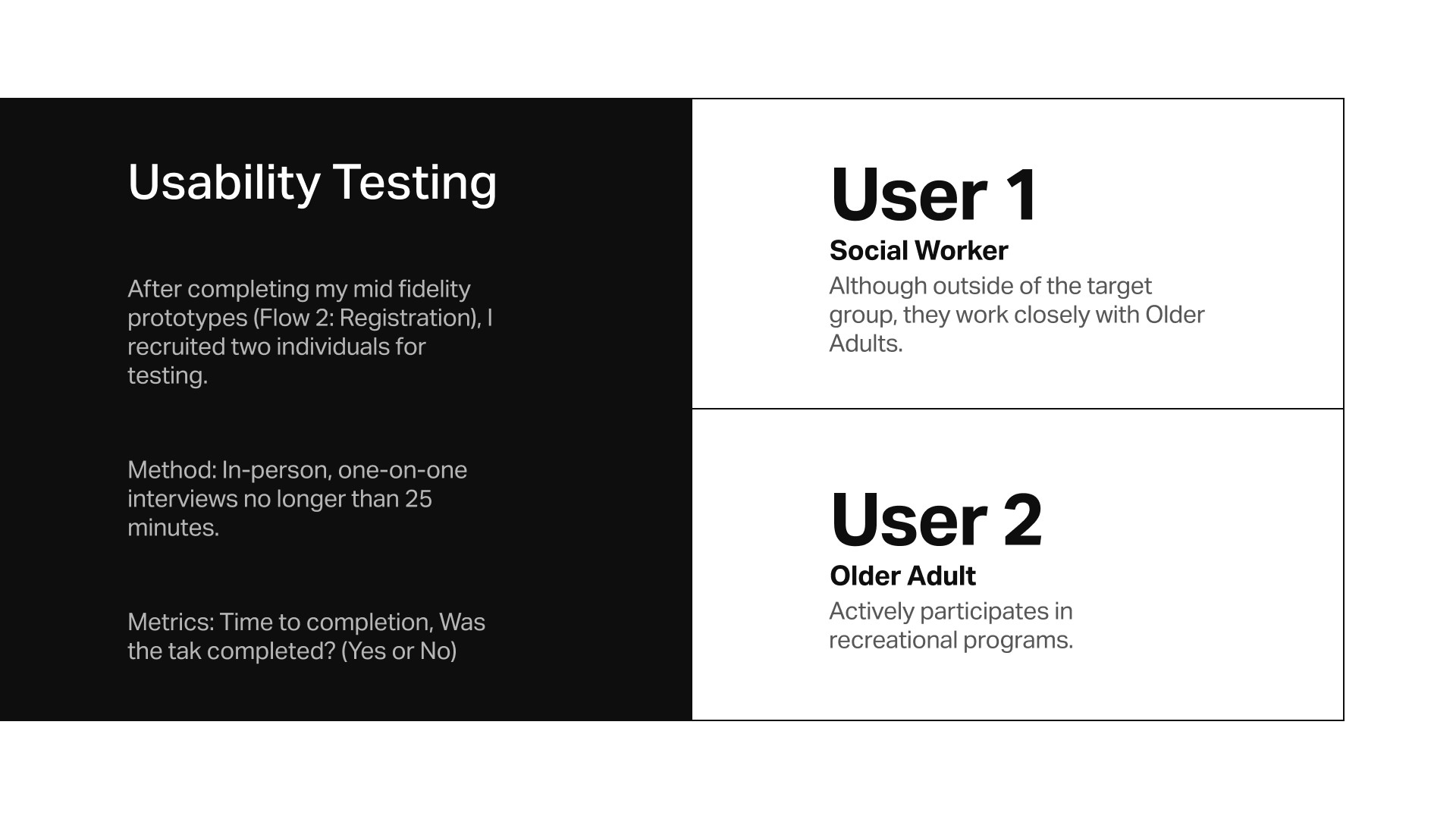
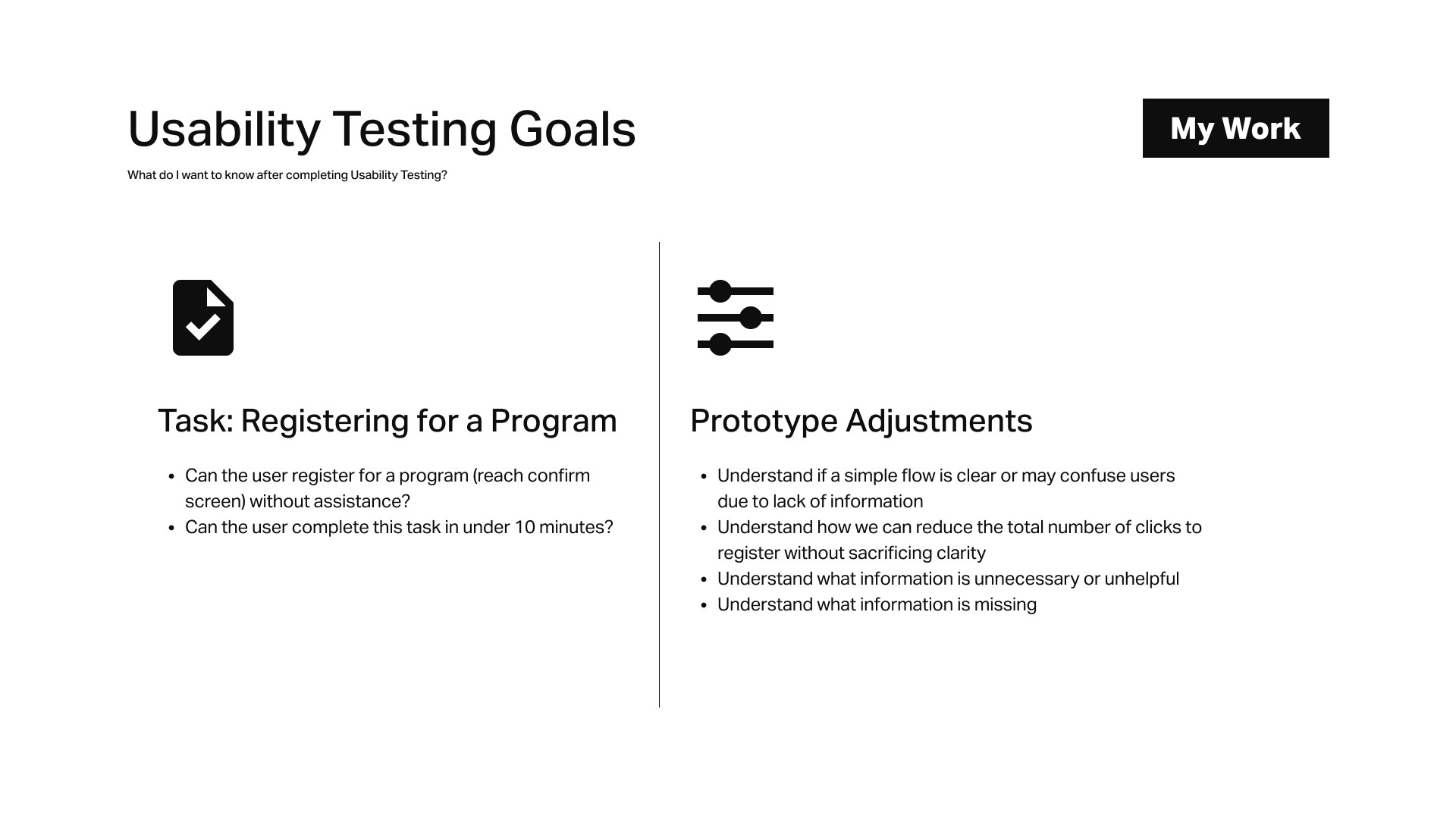
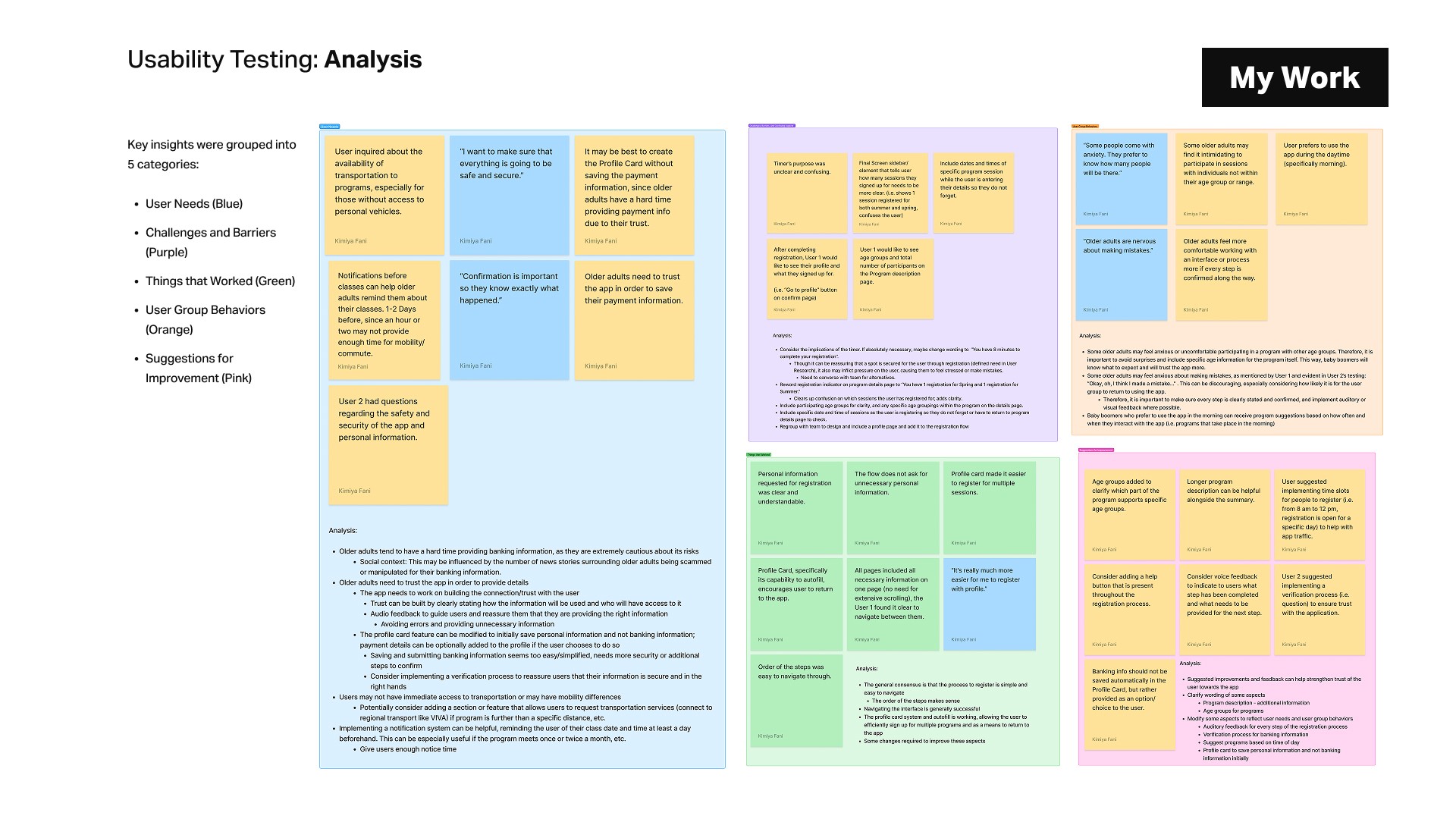
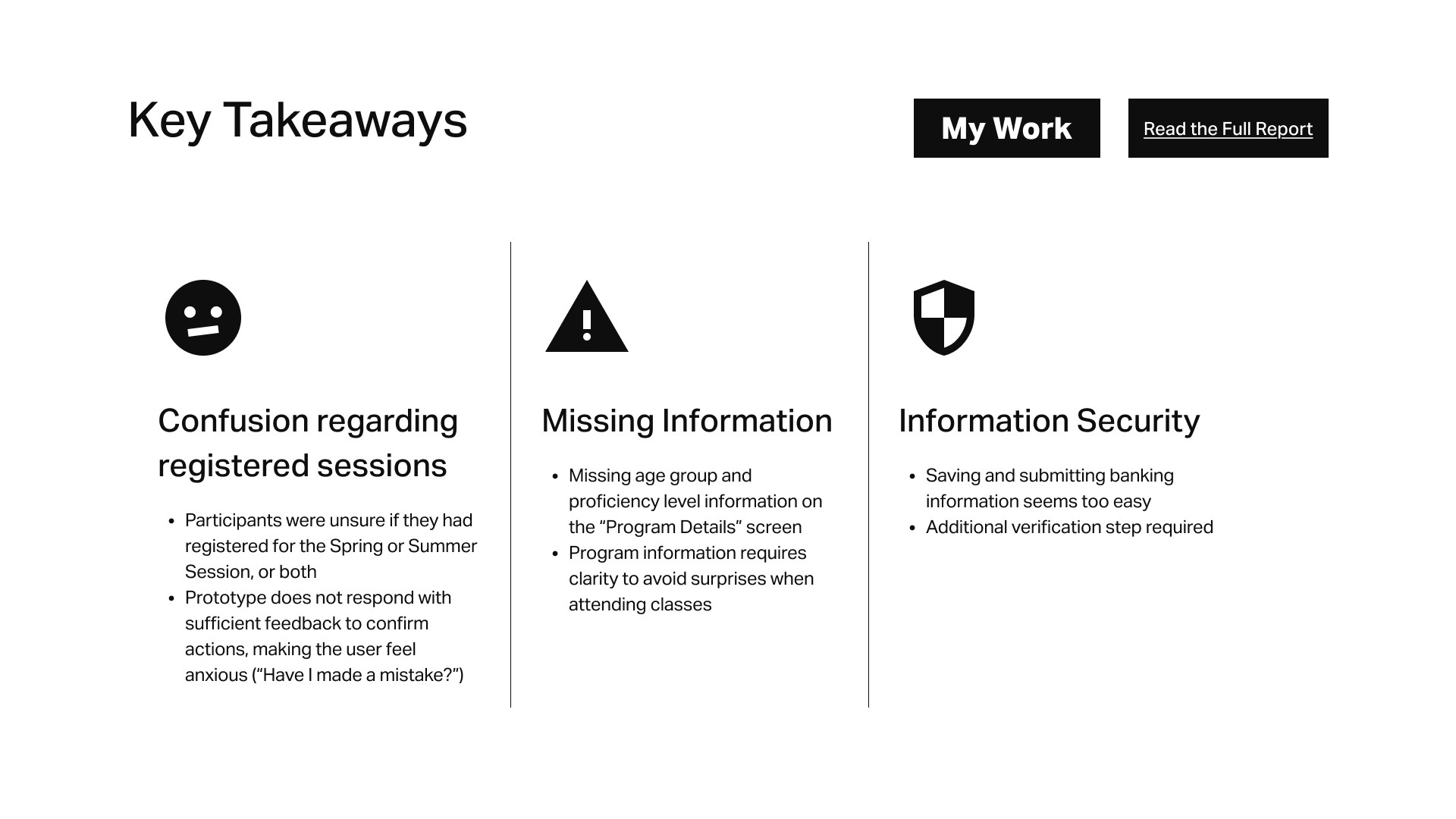
During phase one of usability testing, users noted that saving and submitting banking information seemed too easy. To address this issue, we implemented an additional verification step and included a security notice to reassure users that their information is secure.
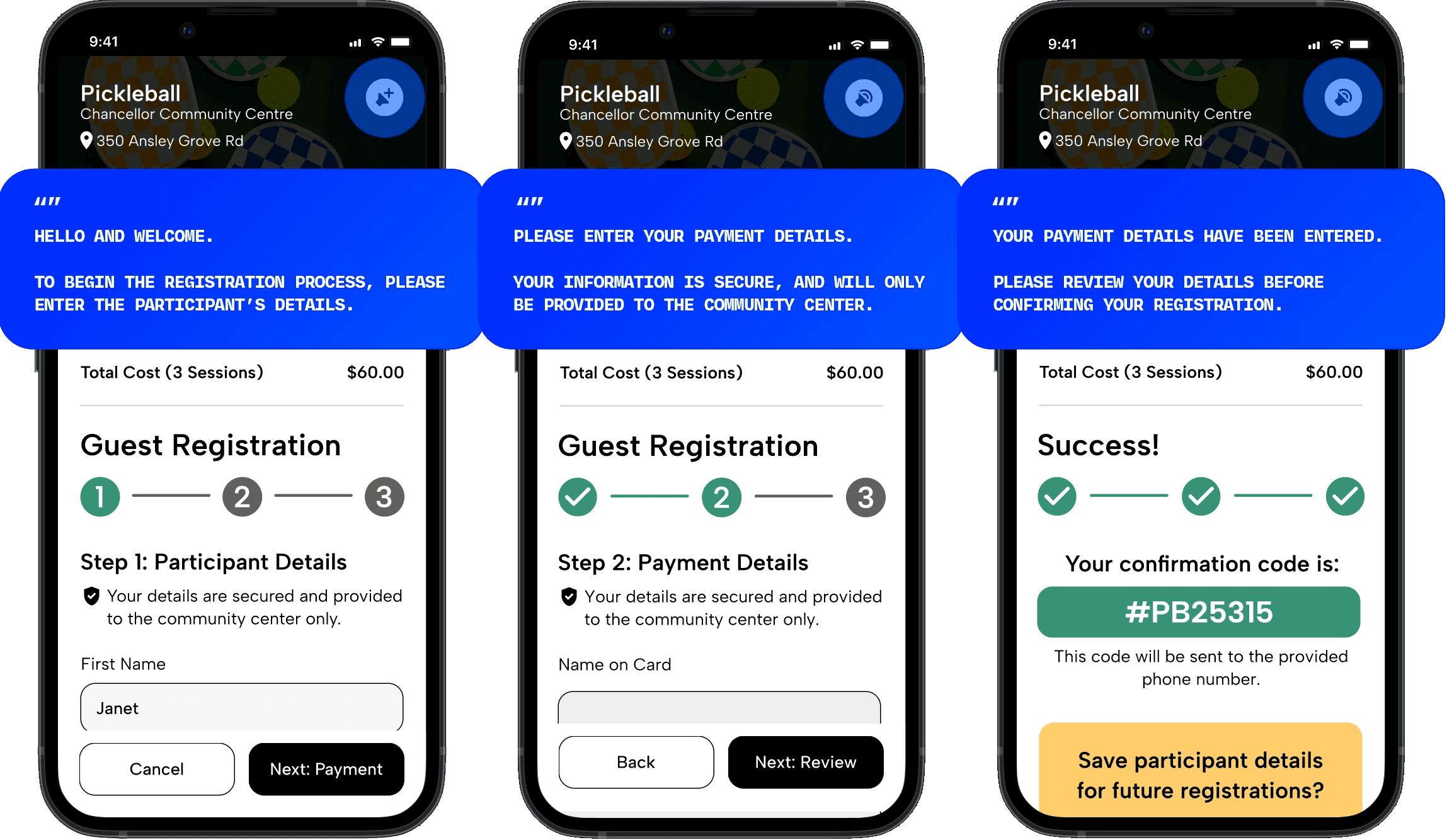
Auditory Feedback
By implementing auditory feedback, users will feel confident every step of the way.
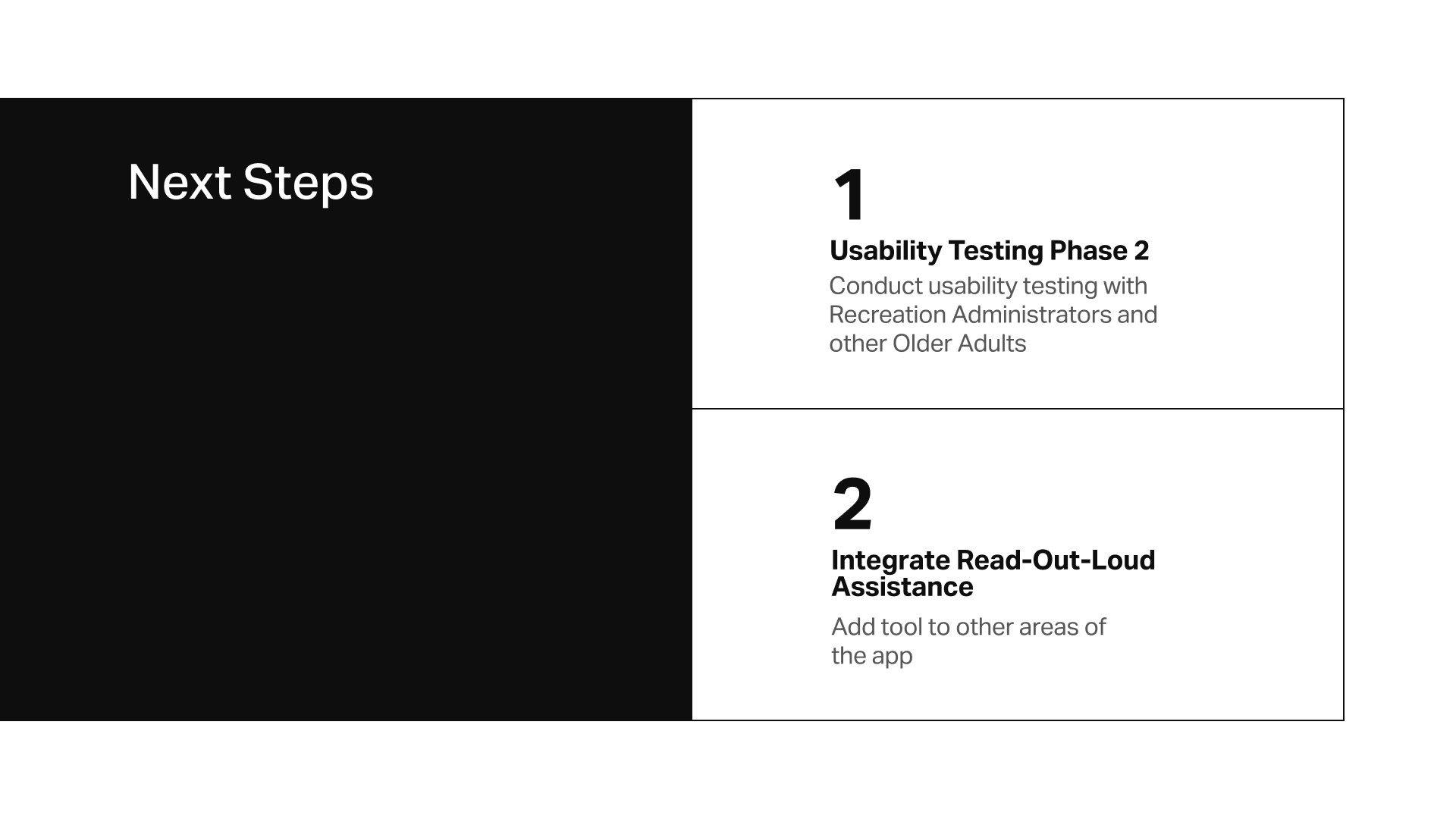
The “Speaker” feature in the Registration flow will narrate every step of the process, drawing aspects from the guided experience of in-person sign-ups. At a community center, Administrators help users in a similar way.
This feature addresses the anxiousness (“Have I made a mistake?”) experienced by users as a result of unclear steps and lack of feedback.
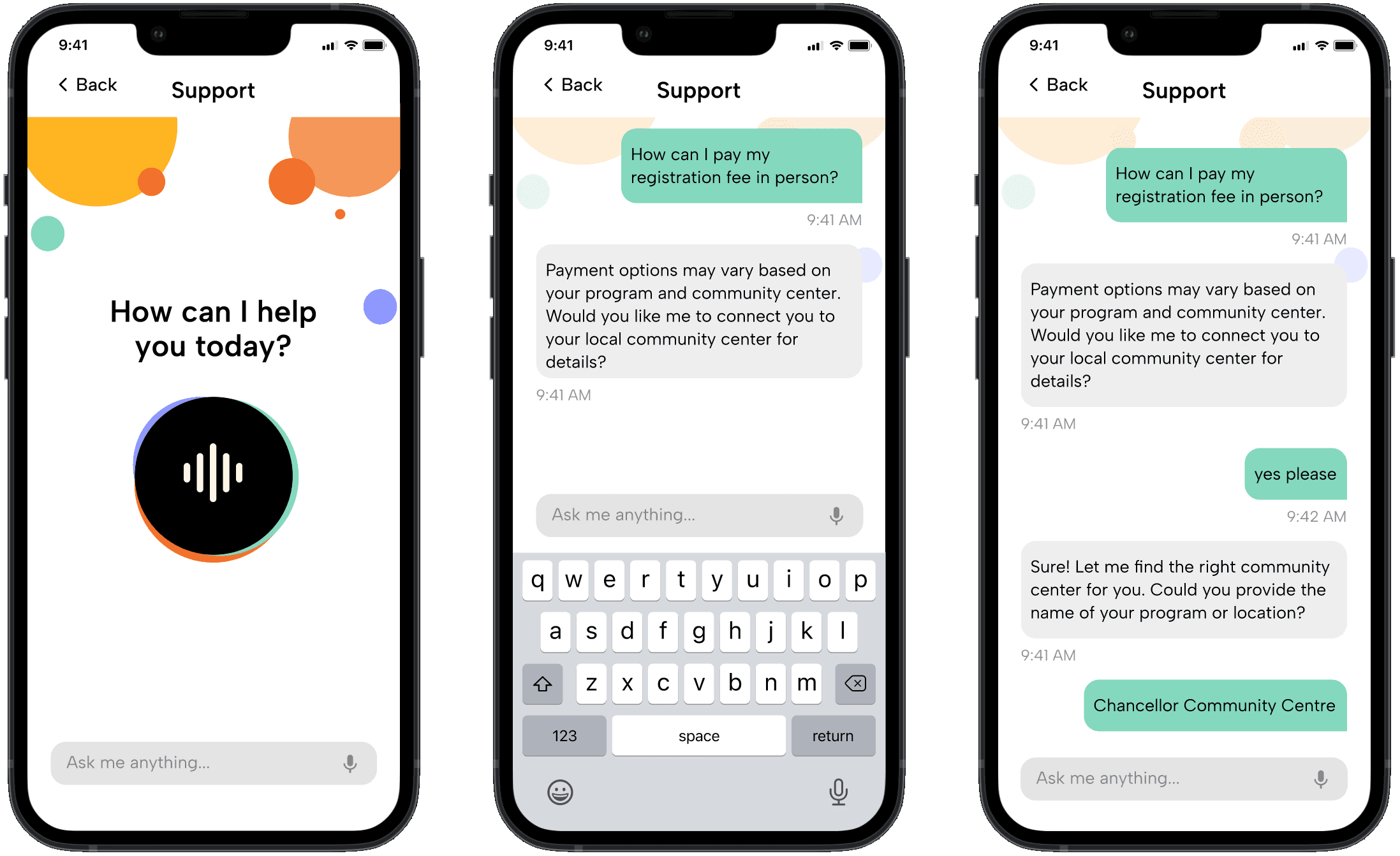
Conversational Chatbot
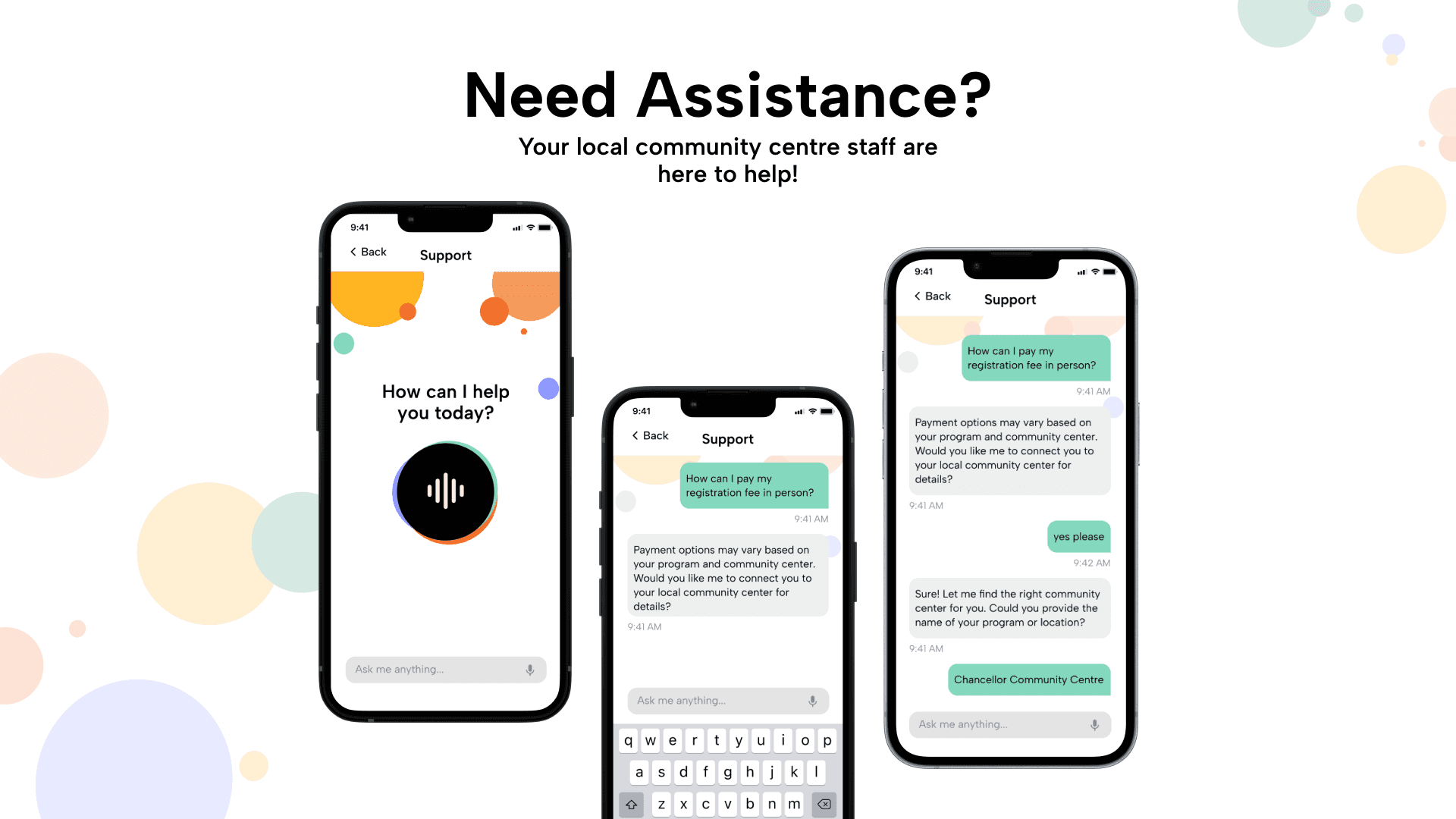
By implementing a chatbot, users will feel reassured that they can contact an expert if they require additional assistance. The chatbot will respond to questions about how to register, pay, and help the user find their desired program. It can also connect the user to their local community center Administrators for extra support.
This feature further considers the preference of Older Adults for the guidance and familiarity of in-person sign-ups.
LEARNING OUTCOMES
How We Overcame Challenges
Adapt to Fill in the Gaps
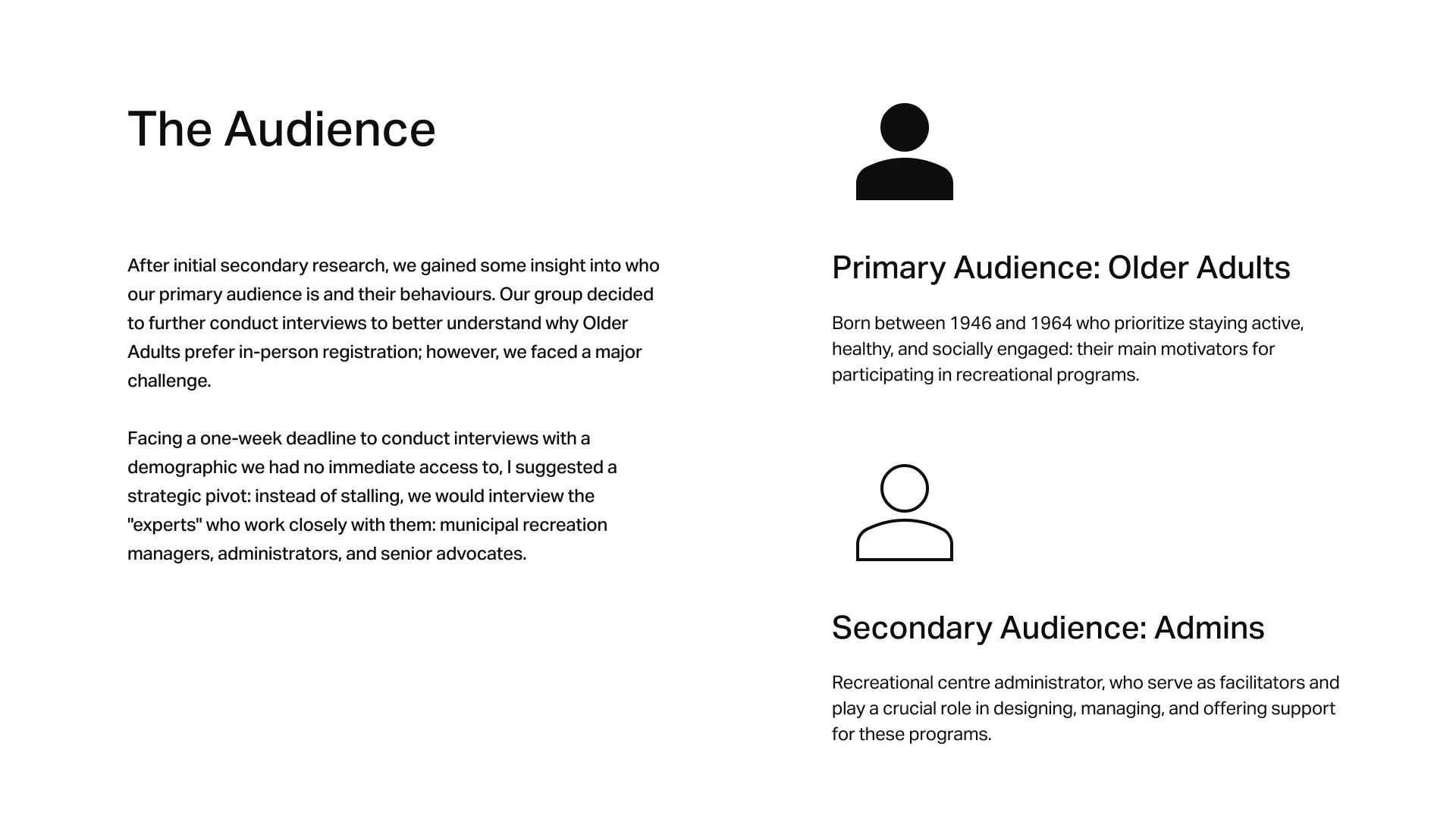
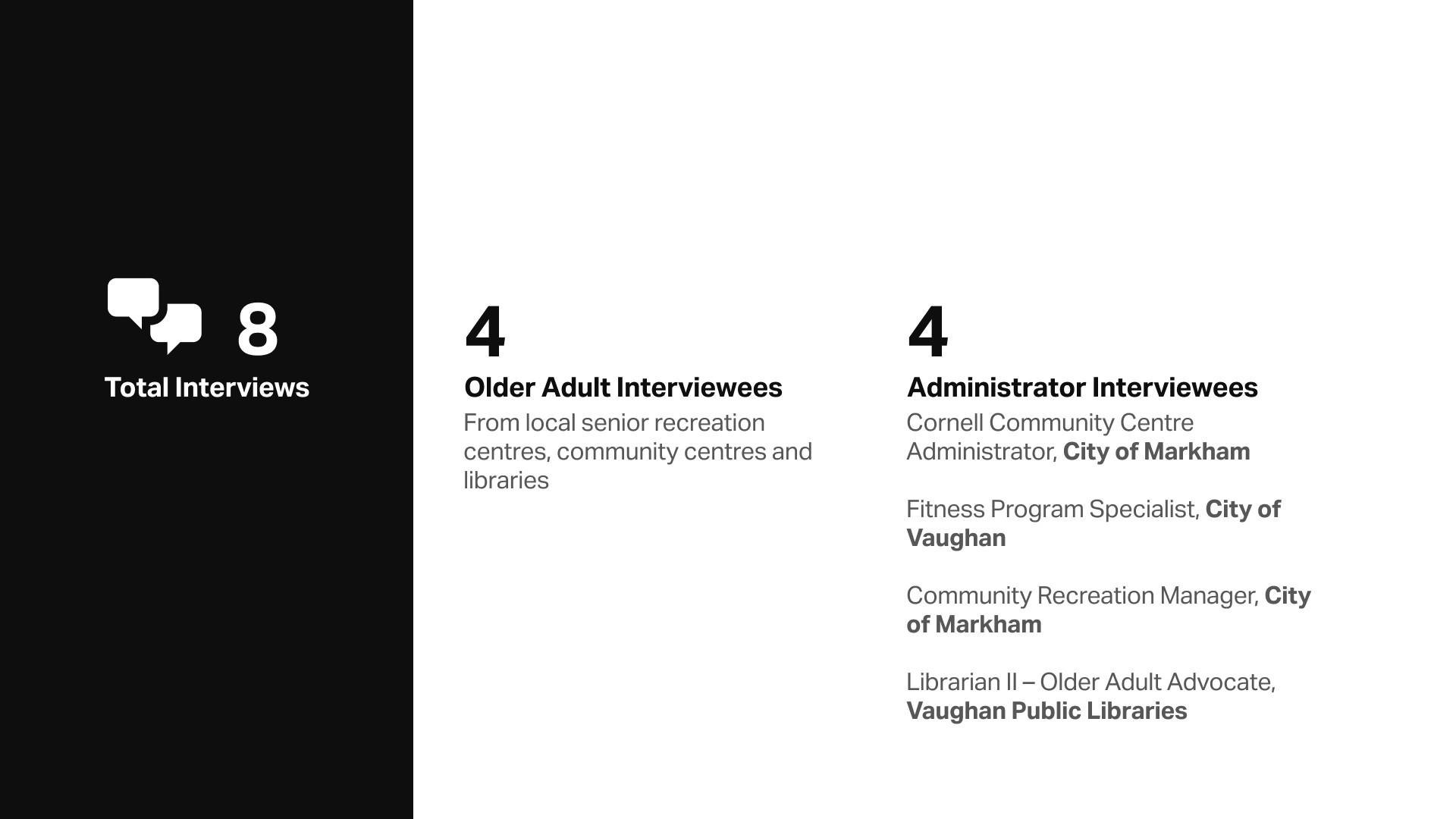
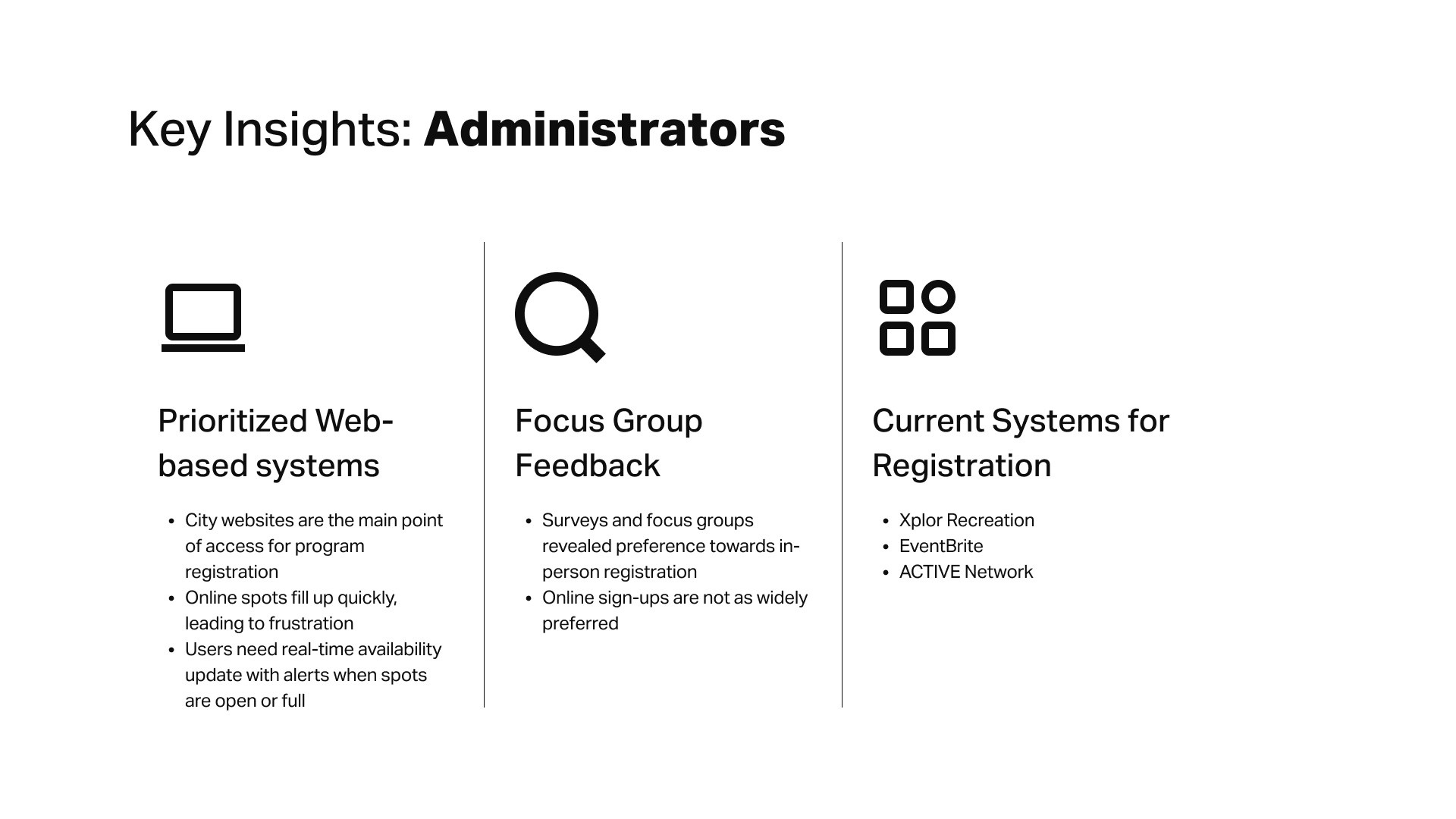
Facing a lack of initial information regarding current registration systems, we pivoted our approach towards research to include municipal recreation staff. Despite the uncertainty of meeting tight deadlines, we successfully secured interviews with municipal leaders, such as the Community Recreation Manager from the City of Markham, which allowed us to become much more knowledgeable about the behaviours of Older Adults.
This approach provided us with additional insights from focus groups previously conducted by these administrators, ultimately teaching us how older adults interact with and lean on staff to navigate complex digital and in-person systems.
Divide and Conquer
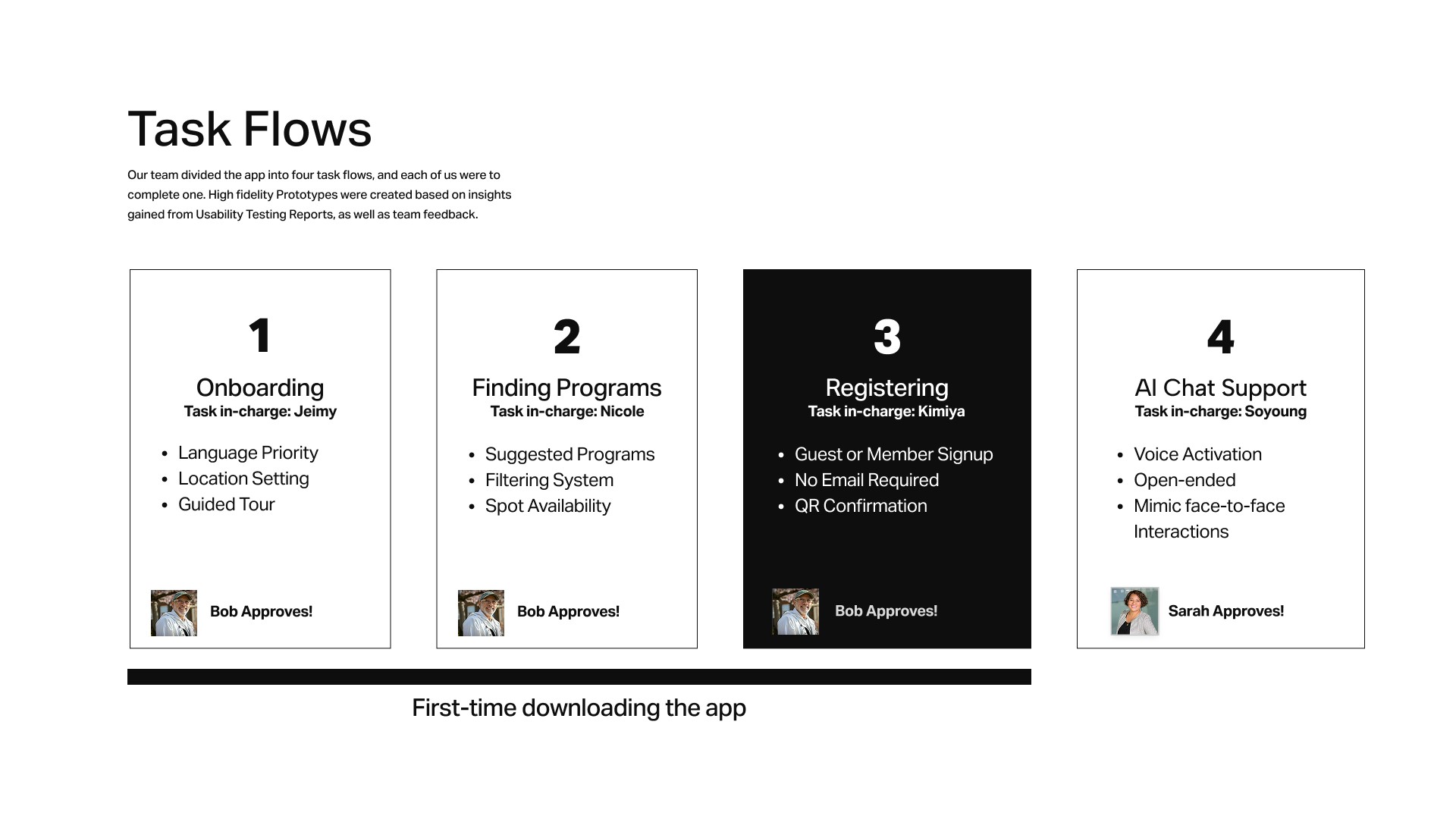
To navigate our overlapping areas of expertise, we distributed responsibilities based on individual strengths while weighing the impact on the project’s overall success. Although each member was assigned a specific task, we maintained a collaborative environment through continuous feedback and peer critique.
While I was initially keen on leading the visual design for all task flows, I prioritized the team’s strategic needs by shifting my focus toward research and writing, allowing me to lead the qualitative research phase and later delivering one complete, high-fidelity registration flow.
What I Learned
Going the Extra Mile
Although deadlines were tight, taking the time to interview multiple Administrators proved extremely helpful in our final design. Our decision-making was more informed, and the solution addressed issues with current registration systems.
Tell a Story
For the final pitch, I learned to tell a story instead of “giving a presentation”. By taking our classmates, or “investors,” through the journey of our process, explaining our decision-making and how we overcame barriers, our team was able to keep them engaged and wanting more.
Role Flexibility
Being flexible and open to working on different areas of the project allowed all team members to share ideas, provide feedback and challenge one another.
INTERESTED IN THE ENTIRE PROCESS?
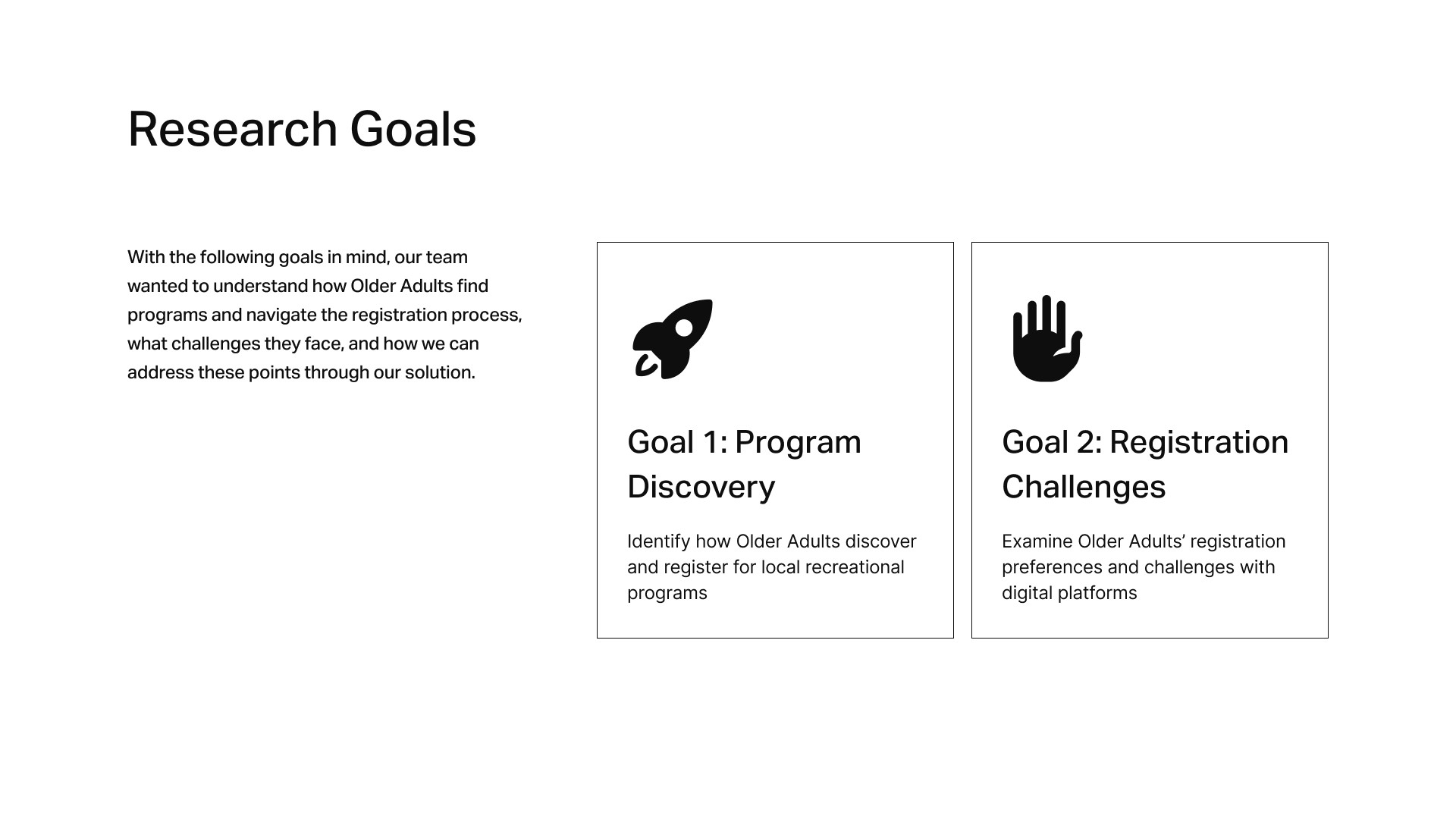
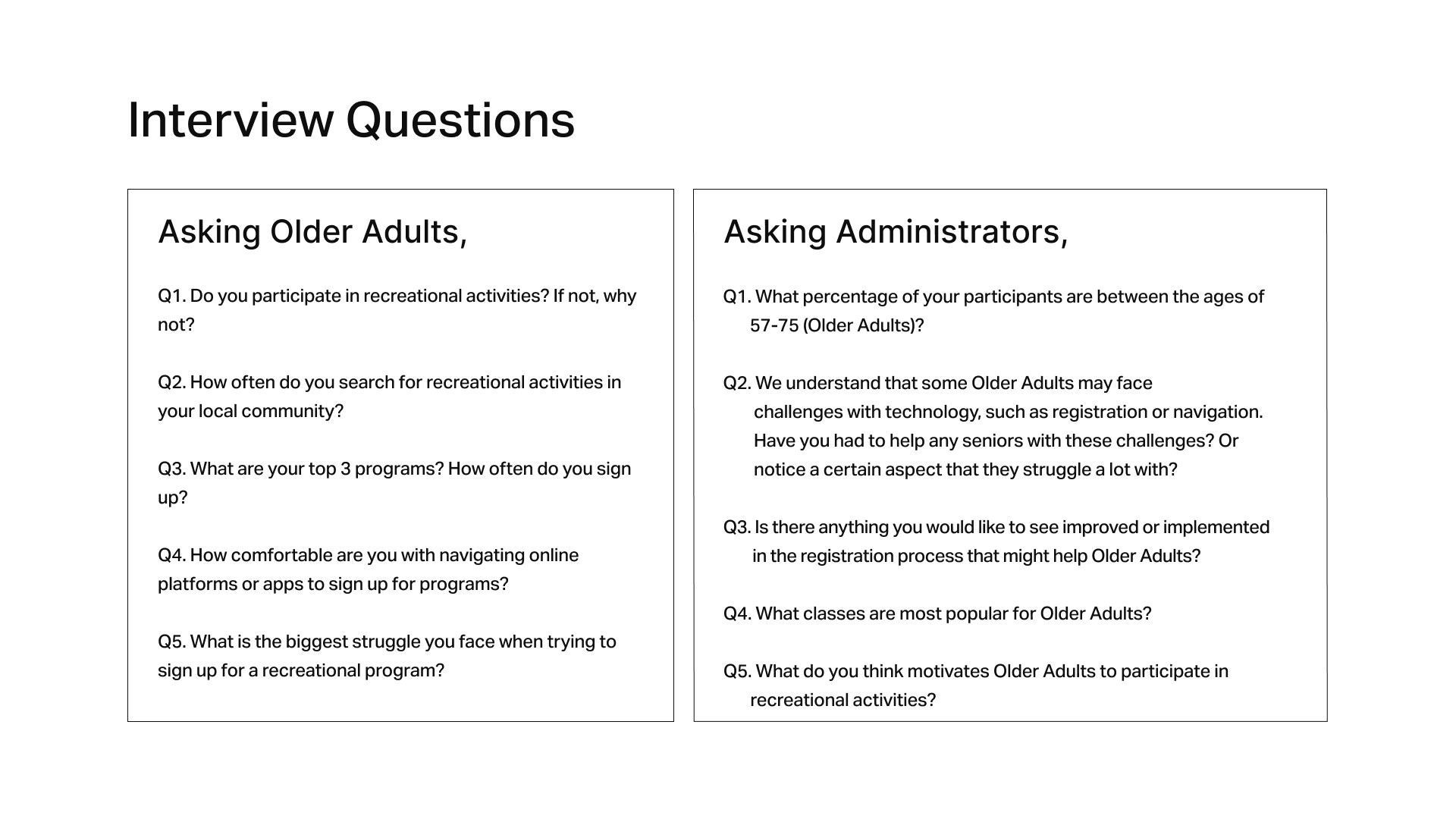
In the following case study, I outline how every step of the Design Thinking process was consulted and applied to the development of Recreo. I cover our research and interview process, and show how the insights we gathered informed our ideation, prototypes, usability testing, and more.

BACK TO TOP